
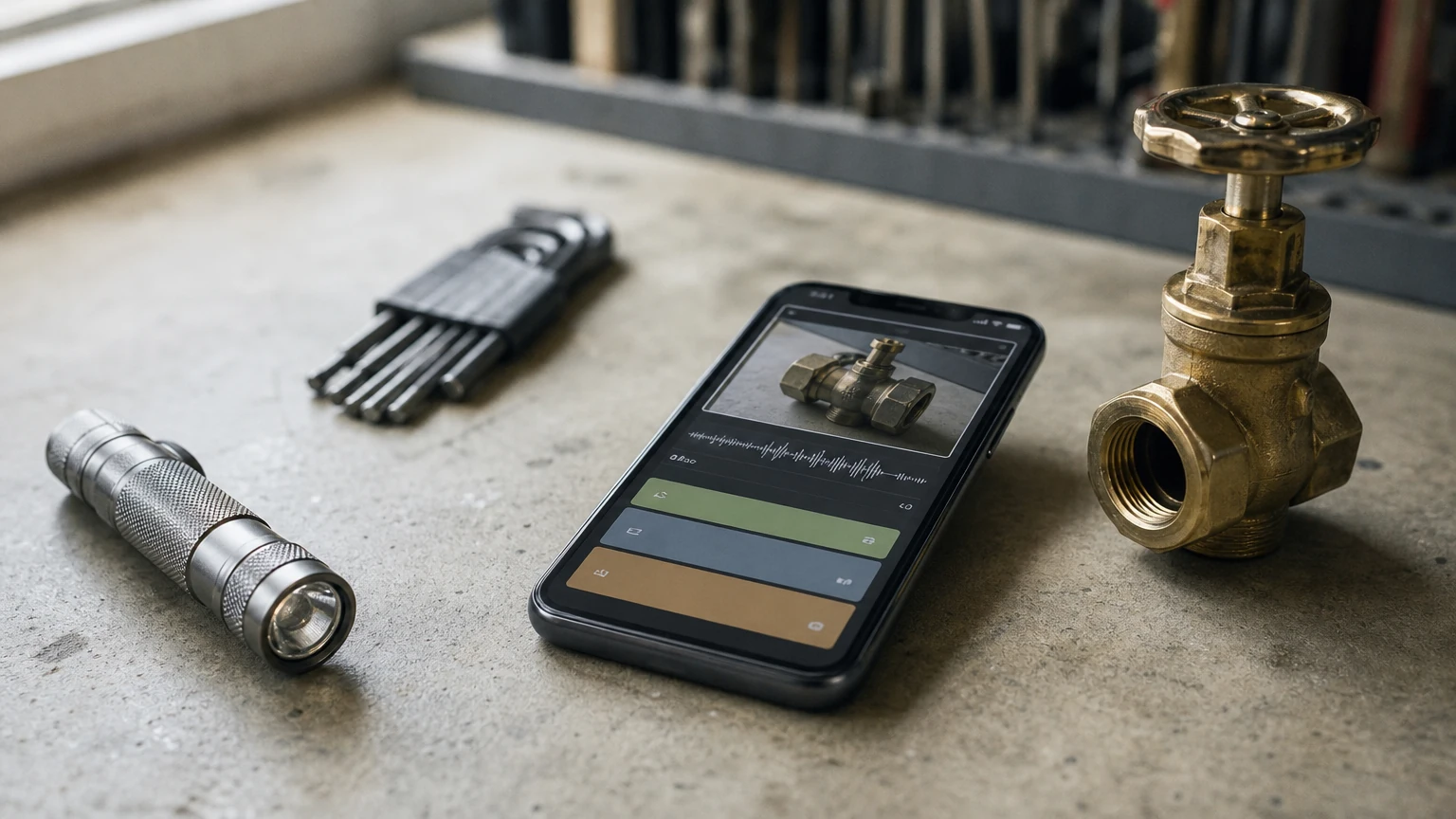
Start with one task where combining text, images and voice removes a real user burden, such as documenting a field issue. Use a cloud-backed MVP when you need to validate the experience quickly; consider more on-device processing when connectivity, privacy or response time makes cloud inference unsuitable.
What makes a mobile AI app multimodal?
A mobile AI app is multimodal when it can understand or generate more than one kind of input or output, such as text, images and voice, within a user task. Start with one task that genuinely benefits from combining those inputs, then choose a cloud-backed or on-device design based on privacy, connectivity and response-time needs.
The point is not to collect every available signal. It is to make a specific job easier. A technician might photograph a damaged component, dictate what happened and ask for a structured service note. A user filling out a form might share a document image and ask a spoken question about it. In each example, the value comes from connecting the inputs, not merely offering a camera, microphone and chat box side by side.
That distinction matters for founders because multimodal features bring more than model complexity. They introduce capture permissions, larger uploads, new privacy expectations, multiple failure modes and an evaluation problem: a fluent answer can still be wrong about the photo or misinterpret the spoken instruction. A good product plan defines what the app should do when one input is missing, unclear or contradictory before it selects a model.
The practical design question is therefore not “How do we add text, images and voice?” Instead, ask, “Which user decision or task becomes materially easier when the app can combine them?” If you cannot answer that in a sentence, the first release probably needs a narrower job.
Which mobile tasks benefit from combining text, images and voice?
Multimodal input is useful when a user needs to communicate context that is difficult, slow or error-prone to enter through text alone.
A photo can show physical condition or visual layout. Speech can capture an observation while the user’s hands are occupied. Text can add a precise identifier, a correction or a follow-up question. The three work together when each contributes a distinct part of the task.
Field inspection and maintenance
Field inspection is a strong candidate when a worker needs to record both visible evidence and a verbal observation. A technician could capture an equipment image, dictate a symptom and ask the app to draft a maintenance ticket. The image helps describe the physical condition; the voice memo supplies context that may not be visually apparent; a text field can hold an asset identifier or correction.
The AI should not be treated as the authority on whether equipment is safe or whether a repair is complete. Its useful role in an MVP is to turn inputs into a draft: identify visible details that need review, organize the spoken report and suggest a structured ticket. A qualified person should confirm the important fields before submission, particularly where errors could affect safety, service decisions or compliance.
The product also needs a clear fallback. If the photo is blurred, the app should ask for another image or let the user continue with a voice-only report. If the recording is noisy, it should expose the transcription for correction rather than silently treating uncertain speech as fact. A multimodal workflow is dependable only when users can see where a result came from and correct it.
Guided document and identity flows
Document onboarding can benefit from a camera and voice when users need help capturing a legible image and understanding what to do next. The image can be checked for basic capture quality, while spoken instructions can guide framing or explain why a resubmission is needed. The user may then type a correction or ask a question.
This does not mean an AI model should decide identity or eligibility without a carefully designed verification process. Capture guidance, document extraction and a consequential decision are separate product responsibilities. For an early release, keep the model’s role limited to helping the user submit usable material and presenting extracted information for confirmation.
If your product is primarily about extracting information from uploaded files, the design questions extend beyond multimodal chat. The AI Document Processing Apps: From Upload to Useful Data guide covers how to shape the document journey from capture through review and use.
Customer support with visual context
A support app may benefit from image and voice inputs when a customer cannot easily explain a problem in text. A photo of a damaged item or an error screen can clarify what the user means; a short voice explanation can add sequence and context. Text remains valuable for order references, exact error messages and corrections.
The assistant should distinguish observation from conclusion. “The image appears to show a cracked cover” is not the same as “the product is defective under warranty.” The latter may depend on policy, purchase history and human review. A useful first release can gather context and suggest a next step, while routing policy decisions or uncertain cases to a person.
When multimodality is not the right first move
A multimodal feature is not automatically better than a well-designed text workflow. If users already complete the task quickly with a form, extra capture options may add permissions, support burden and model cost without improving the outcome. If the task depends on exact values, direct structured entry may be safer than asking a model to infer them from a photo or recording.
A product may begin with image plus text, or voice plus text, and add a third modality only when user evidence shows the task still has a meaningful gap. For product teams considering voice as the main interaction, AI Voice App Development: Build a Useful Assistant explores when speech belongs at the centre of a mobile experience.
What should a focused multimodal MVP include?
A focused multimodal MVP should complete one end-to-end task, such as turning a photo and voice memo into a reviewable service ticket.
A hypothetical field-reporting MVP is a useful way to define the boundary. A worker selects an asset, takes a photo, records a short observation and receives a draft ticket with the image attached. The draft separates what the image appears to show from what the worker said, then asks the worker to confirm or edit the details before saving.
The purpose of this example is to make the scope concrete, not to imply that every product needs the same architecture. The right MVP is the smallest complete workflow that lets you learn whether combining modalities solves a user problem.
Define the user, task and output
Start by naming the user and the moment in which the feature is used. “Help field workers report visible equipment problems while they are at the asset” is more actionable than “add AI to maintenance.” The former suggests a capture flow, a draft output and a point at which a person confirms the result.
Specify the output in product terms. For a service ticket, the app might need a description, asset reference, reported symptoms, image attachments and a review state. Decide which values the model may suggest and which must come from a trusted source, such as a database lookup or an explicit user selection. Do not ask the model to infer information that the product can obtain reliably elsewhere.
Also define what counts as a completed task. The user may need to correct a transcription, confirm the visual description, save a draft or submit the ticket. Without a clear end state, a team can build a convincing demo that does not fit the operational workflow.
Limit the first release deliberately
A first version does not need open-ended conversation, video analysis, automatic submission and a complex history view all at once. Each added capability expands the number of user paths and failure conditions that need testing.
For the field-reporting example, a reasonable boundary is:
- One user role and one reporting task.
- A still image rather than continuous video.
- A voice memo with a visible transcript or editable summary.
- A draft response that the user must review.
- A clear retry or manual-entry path for unusable media.
- A backend that handles authentication, model access and request limits.
The boundary should be based on what the user needs to finish the job. If video is essential because damage only appears in motion, it may belong in the MVP. If it is merely an interesting extension, postpone it until the still-image flow has been evaluated.
Use managed cloud inference to learn, not as a permanent assumption
For a product that has not validated its multimodal interaction, hosted inference behind a secure backend is often a practical starting point. It lets the team test the capture and review experience without making specialized on-device model deployment the first problem to solve. The choice should change if the feature must work without connectivity, if sending media to a service is unacceptable, or if the measured response time fails the task.
A focused implementation can use a cross-platform Flutter client for capture and review, a backend gateway for identity and access control, and a hosted model endpoint for inference. The mobile client should not contain production model credentials. Flutter’s AI Toolkit guidance describes app-side AI integration patterns, but the app still needs an architecture that controls access to its own backend and user data.
The gateway is also where the product can enforce request limits, confirm that a user is authorized to submit a report, apply retention rules and record operational events without exposing secrets to the client. A model integration is not a substitute for application security or business rules.
How should a mobile app handle media capture, consent and uploads?
A safe upload flow tells users what the app needs, checks capture quality before sending, and explains how the resulting media will be handled.
Photos and recordings may contain information users did not intend to provide. A workshop image can capture a person, a badge, a display or a nearby document. A voice recording can include another person or background conversation. The capture design should make the purpose and handling of media understandable before the user grants access or uploads a file.
Ask for permissions at the moment of need
Request camera or microphone access when the user starts the relevant task, not as an unexplained demand during initial app setup. Pair the operating-system permission prompt with a short in-app explanation that says what the feature needs and why. If the user declines, offer a usable alternative where the task allows one, such as manual text entry or selecting an existing image.
Permission is not the same as consent to every form of processing or retention. Explain whether the media is sent to a server, whether it may be stored with the user’s record, how the user can remove it and whether any copy is retained for product evaluation. If those answers differ by feature or account type, make that distinction visible rather than hiding it in a general privacy statement.
Design for revocation as well. A user may grant microphone access and later disable it in device settings. The interface should detect that the capability is unavailable and explain how to continue, rather than leaving the recording control in a broken state.
Guide users to provide usable input
Capture guidance prevents avoidable model failures before they become backend errors. For a photo, show a framing cue and explain what needs to be visible. For speech, indicate recording state clearly and let the user listen back, discard or retry. If lighting, focus or noise makes the input unusable, say so in terms the user can act on.
Run basic validation before upload. The client can check that a file can be opened, that its format is supported by the product and that the user has not submitted an empty recording. Image resizing and metadata cleanup can also happen before dispatch. These checks do not prove that a photo contains the right subject or that speech is understandable, but they can prevent invalid media from being transferred unnecessarily.
Do not make capture checks so strict that they block legitimate edge cases. A product may accept a photo with imperfect lighting and let a reviewer assess it. The right threshold is the one that prevents likely failure without turning the camera into a frustrating gate.
Minimize what leaves the device
Send only the media needed for the task. Crop an irrelevant background when the user can identify the useful region; avoid attaching repeated images if one is enough; remove location and device metadata when those details are not required. Data minimization reduces unintended exposure and can also reduce payload size.
Be careful with transformations that remove useful context. Cropping too aggressively may cut off a label or the surrounding equipment needed to interpret damage. Metadata stripping should remove unnecessary information without altering the visual evidence the workflow depends on. Make the processing choice explicit in the implementation and test it against representative inputs.
A production architecture should route requests through an application backend or serverless gateway that authenticates users and controls access to model credentials. The gateway can also apply quotas and authorization checks before forwarding media, and can refuse requests that exceed a user’s permissions.
Make retention a product decision
Decide whether raw media is kept, for how long and for what purpose. Retaining an image may be necessary when the report itself needs evidence. Keeping a temporary audio file after the app has extracted the useful transcript may be unnecessary. The user should not have to guess which one applies.
If you use submitted inputs to evaluate or improve a feature, explain that use clearly and separate it from the user’s immediate task where appropriate. Treat evaluation access as a controlled data pathway, not as an informal copy of production uploads. Limit who can view the material and give users a way to understand or manage stored content.
For a deeper planning checklist on application data handling, see AI App Data Privacy and Security. Privacy and media ingestion are linked design decisions: the capture interface sets expectations, while backend controls enforce what happens after upload.
Should a multimodal app use one unified model or a composite pipeline?
Use a unified model when direct reasoning across inputs is central to the task; use a composite pipeline when specialized processing, control or debugging matters more.
Some unified multimodal models can receive an image and audio input in a shared context. That can make the interaction simpler to orchestrate because the model can reason over the inputs together. It may suit a user experience where the meaning comes from the relationship between what the person said and what the image shows.
That convenience does not guarantee balanced attention. A model may rely too heavily on the spoken description or the textual prompt and insufficiently ground its answer in the image. This is a product risk when the output describes a physical condition or visual fact. You need evaluations that test whether the model actually uses the evidence you intend it to use.
A composite pipeline separates some work into specialist components. For example, speech can be transcribed first, an image can be processed or checked separately, and a language model can receive structured results alongside the user’s text. This can make intermediate outputs visible and debugging more localized. It also adds orchestration and serial processing, which may increase the time before a response is ready.
| Design choice | Prefer it when | Main trade-off |
|---|---|---|
| Unified multimodal inference | The task depends on joint interpretation and the model supports the needed inputs | Less control over how evidence is handled, so grounding needs careful evaluation |
| Composite processing | You need explicit intermediate results or specialized processing for a modality | More components and handoffs can add implementation work and serial delay |
| Hybrid design | Some inputs need deterministic checks while others benefit from joint reasoning | The boundary between components must be tested and maintained |
The model boundary should follow the product’s risk and workflow, not a preference for a particular architecture. For a draft description, a unified call may be enough if the results are consistently grounded and easy to review. For identity, safety or high-impact decisions, a separate validation path and human confirmation may be necessary regardless of how many model types are involved.
Keep the first implementation observable. Record which input types were present, what validation ran, where the request failed and whether the user corrected the output. Do not log raw sensitive media by default just to improve debugging. Useful observability can often come from structured events, model response metadata and user corrections, with media access controlled separately.
What drives latency in a mobile multimodal experience?
The most important latency decisions are where speech and media preprocessing happen, how much data travels over the network and whether the interface shows useful progress.
A user experiences the whole interaction, not just the model’s inference time. The path can include permission handling, recording, upload, transcription or image processing, model generation, backend checks and rendering. If these steps run in sequence, a slow stage delays everything that follows.
Speech transcription on-device avoids sending raw audio for transcription, but constrained phone hardware can take longer than a cloud service for some tasks. Sending audio to a cloud endpoint may provide a faster processing path, but it depends on network conditions and means the audio leaves the device. The product choice should be based on measured performance for the intended devices, connectivity conditions and privacy requirements.
Reduce avoidable work before the request
Use image resizing that preserves the details needed for the task. A full-resolution camera capture may carry more data than a model needs to describe a visible issue. Where the user can identify a relevant area, cropping can focus the input. For video workflows, representative keyframes may be more appropriate than sending every frame, unless temporal motion is essential to the task.
Trim silence from audio where doing so does not remove meaningful pauses or context. Avoid recording indefinitely when the task needs a short observation. Provide a clear stop control and indicate when the app is still listening, uploading or processing. These choices can reduce transfer and processing without making model quality the only way to control response time.
Do not optimize media blindly. Downscaling can remove the small text or visual detail the model must read. Cropping can erase context. Trimming can cut off a quiet first word. Test preprocessing against realistic examples and inspect both the model output and the transformed media.
Make waiting understandable
The interface should distinguish recording, uploading, processing and streaming a response. Those states help users decide whether to wait, retry or leave the screen. If the product can show a transcript or a partial draft while another stage runs, do so only when the intermediate result is useful and clearly marked as incomplete.
A retry should not silently submit the same large file several times. Tell the user what failed and whether the app is retrying, reusing an upload or asking for a new capture. If network access drops, preserve a recoverable draft where the product’s privacy rules allow it, and avoid discarding a recording without explanation.
Set response expectations in product terms rather than promising a fixed duration that the system cannot guarantee. For a short report, users may accept a brief processing state if they can review the result. For a real-time spoken exchange, the same delay may break the interaction. That difference can determine whether you need streaming, local preprocessing, asynchronous review or a different feature scope.
Know when to move processing on-device
On-device processing is worth considering when the app must work offline, when raw media cannot leave the phone, or when the measured cloud round trip is incompatible with the interaction. It is not automatically faster or cheaper for the user. Device capability, thermal conditions, battery use, storage constraints and model availability all affect the experience.
A sensible cloud-first MVP measures the complete request path and captures the conditions that matter, including weaker connectivity and older supported devices. Move a particular stage on-device only when evidence shows that doing so solves a product problem that justifies its engineering and maintenance cost. You can also use a hybrid design: validate or redact locally, then send a reduced input for hosted inference.
What affects the cost of multimodal AI features?
Multimodal operating cost is driven by how much image and audio data you process, how often users make requests and how much work each request triggers.
High-resolution images and continuous audio can increase model consumption quickly. A product that accepts one carefully framed image and a short voice memo has a different request profile from one that streams speech and repeatedly analyzes large images. The relevant unit is not simply a user or a conversation; it is the set of inputs and processing stages each task invokes.
Control cost through product design before relying on a cheaper model or a more complex deployment. Ask for media only when it contributes to the task. Crop to a relevant region, choose representative keyframes when full video is unnecessary and trim unneeded silence. Let users review a capture before uploading it, and avoid rerunning the same inference when a user edits an unrelated text field.
Measure the workflow, not just the model call
A request can generate cost in several places: media upload and storage, speech processing, visual analysis, language generation, retries and follow-up calls. A composite pipeline may call specialist systems before a language model, while a unified call may reduce some orchestration but process multiple media types together.
Track cost-related events without logging sensitive media indiscriminately. Useful product signals include the input type, approximate payload category, which stages ran, whether a retry occurred and whether the user accepted or corrected the draft. Those signals can show whether a costly stage contributes to completed tasks.
Use caps and clear product rules where a feature could be invoked repeatedly. A user should understand when a long recording, additional image or repeated analysis creates another request. A backend gateway can enforce account-level limits and protect against runaway calls, while the interface can explain why a request cannot proceed.
Decide whether the experience earns its recurring cost
The product question is whether the multimodal task provides enough user value to justify its operating expense and support needs. A feature that turns an otherwise abandoned report into a usable draft may be valuable even if it is not the least expensive path. A feature that produces output users consistently rewrite may need a narrower scope, better input guidance or a different approach.
Model selection should account for quality on the actual inputs, not only advertised capabilities. If you are comparing providers or models, Choose an AI Model for Your App offers a framework for matching model choice to product needs. Keep the evaluation set tied to the app’s real use cases so a change that lowers cost does not quietly degrade a critical field.
How do you evaluate quality across text, images and voice?
Evaluate each modality on its own and the combined task as a whole, because a good transcript or image description does not prove that the final answer is correct.
A multimodal system can fail in different ways: it can mishear a phrase, miss a visible detail, misunderstand the user’s text or combine correct observations into an incorrect conclusion. Measuring only whether the final response sounds coherent will hide those failures. Evaluation should test the input components, the relationships among them and the product action that follows.
Build cases around realistic capture conditions
Include clear and difficult examples from the actual environment. For images, vary framing, lighting, distance, clutter and whether the relevant detail is visible. For speech, include accents and recording conditions representative of the users, along with interruptions or corrections that the app permits. For text, test incomplete descriptions, ambiguous references and explicit corrections.
Test missing and conflicting inputs too. A user may say “the upper connector is loose” while the photo shows several connectors. The model should ask for clarification or identify uncertainty instead of confidently choosing one. A spoken statement may contradict a visible label. The product needs a rule for which source takes precedence, whether the conflict can be resolved automatically and when a person must decide.
Do not let a model generate the answer key for every test case. Where the task is consequential, compare the model’s output against a qualified human review and explicitly list unacceptable errors.
Separate quality dimensions
A useful evaluation can consider:
- Capture usability: Could the app obtain media suitable for the task?
- Transcription fidelity: Did the transcript preserve the user’s intended details?
- Visual grounding: Did the model describe only what the image supports?
- Cross-modal consistency: Did it notice relevant agreement or conflict between speech, image and text?
- Structured output validity: Are required fields present and usable?
- Uncertainty handling: Does the system ask for clarification or defer when evidence is weak?
- User correction burden: How much must a user change before the result is safe to use?
- Workflow completion: Can the user finish the task, including recovery from a failed input?
These are not interchangeable. A model can produce valid structured data while misunderstanding the image. It can transcribe accurately but omit a spoken correction from its summary. Keep failures categorized so you know whether to improve capture guidance, preprocessing, prompts, model selection or the review interface.
Evaluate the experience, not only an offline test set
Offline testing checks known examples, but users may provide unexpected combinations. A staged rollout should make it possible to inspect errors, collect explicit corrections and pause an unsafe behavior. Treat a user correction as evidence about the feature, not as proof that the system learned from it automatically.
For each product action, decide what confidence or evidence is required before the app proceeds. A draft can be shown with uncertainty and edited. An irreversible action should not be triggered merely because the model returned a polished response. If the app cannot communicate why it made a consequential recommendation, route the case to a person or keep the system in an assistive role.
Re-run evaluations when you change the model, preprocessing, prompt, capture interface or backend pipeline. Any of those can alter the effective behavior. A resizing change may hide small text; a new transcription stage may change punctuation or phrasing; a prompt change may make the model favour one input over another.
What commonly goes wrong in multimodal mobile apps?
Multimodal features fail most often at the boundaries between capture, interpretation and product action, not because a model is unable to accept multiple input types.
A camera and microphone can work independently while the combined task remains confusing. Users may not know which photo to take, whether the recording is still active or how a transcript affects the result. Product teams can also mistake a fluent answer for a grounded one and ship a workflow that makes the user responsible for catching hidden model errors.
Treating capture as a technical detail
A camera button is not a capture strategy. If users need a close-up of a serial label but the interface does not say so, the model may receive an attractive image that cannot answer the actual question. If a voice interface records without a clear state indicator, users may provide too little or too much context.
Design the capture instruction from the output requirements backward. If the report requires a part number, explain that the label must be readable. If the task is to describe damage, show the area and enough surrounding context to locate it. The instruction should tell the user what evidence is needed, not merely how to operate a camera.
Combining inputs without tracking their source
A single paragraph that blends the user’s statement and the model’s visual observation can make errors hard to identify. If the draft says “the seal is torn,” the user needs to know whether that came from speech, the image or an inference. A clear review screen can separate reported symptoms from visual observations and let the person correct each one.
This provenance is useful for both users and support teams. It helps explain why a result is uncertain, and it gives evaluators a clearer way to classify a failure. It also discourages the product from presenting a model’s interpretation as a verified fact.
Designing only for the ideal network
Large uploads can fail when connectivity changes between capture and submission. A feature that works on office Wi-Fi may become unusable at a job site, in a basement or while a user is moving between networks. Decide whether the app should preserve the draft, queue an upload, ask the user to retry or fall back to a text-only report.
Each recovery choice has privacy implications. Keeping a local copy can improve reliability but should align with the app’s storage and deletion rules. Queuing a request should not duplicate a charge or create two service tickets after connectivity returns. Make the request identifier and submission state part of the backend design, not an afterthought in the interface.
Letting a generated answer trigger an unchecked action
A generated summary may look complete while containing an unsupported detail. If that summary automatically creates a record, contacts a customer or changes a status, an interpretation error becomes an operational error. Keep human review in the flow until evaluation supports a stronger level of automation and the consequences are understood.
The interface should also make correction practical. If users can edit only the final paragraph, they may not be able to fix a wrong asset, transcript or image observation. Let them update the source information that matters and then regenerate or amend the draft deliberately. Avoid silently replacing a human correction with a later model response.
How should you choose a first release architecture?
Choose the simplest architecture that can safely test the user task and leave room to change the model or processing path.
A practical early design can separate the system into a mobile capture client, an authenticated backend gateway and one or more inference services. The client owns permissions, local validation, capture feedback and review. The gateway owns authentication, authorization, request limits, model credentials and routing. The inference layer processes the inputs and returns a draft, while the application backend applies product rules and saves user-approved results.
That separation does not require a large distributed system. It is a boundary between responsibilities. Keeping business rules outside a model prompt makes them testable. Keeping model output in a review state prevents an inference result from becoming a trusted record by default.
Keep the provider behind an interface
Avoid scattering provider-specific request construction through screens and widgets. A backend boundary makes it easier to change the model endpoint, add a specialist transcription service or adjust retention without changing every capture screen. It also centralizes request validation and access policies.
Do not build abstractions for every future model before the MVP has a use case. The goal is a clean seam, not a generic AI platform. Keep the first integration narrow and record what it needs: allowed input types, required task context, expected output fields, error states and what should happen when a provider is unavailable.
Plan for partial failures
Each stage needs an explicit failure outcome. The camera can be denied, an upload can time out, transcription can fail, the model can return incomplete data or the backend can reject a request. If the interface treats all these as “something went wrong,” users will not know whether to retry, edit the input or use a fallback.
For a draft ticket, a useful failure path may let the worker save a manual report without AI. For document onboarding, it may ask for a clearer photo and explain what to change. For a spoken assistant, it may offer a text input. The fallback should preserve the user’s task rather than merely preserve the feature.
Decide what must work offline
Offline operation is a product requirement, not an implementation checkbox. If users must complete work in areas with unreliable connectivity, determine which parts can remain available without the model. Capture and save a draft locally; allow the user to add notes; defer inference until the connection returns if the data policy permits it.
If an immediate AI answer is essential and offline service is mandatory, the model and its supporting assets may need to run on-device. That changes the testing and maintenance burden, especially across device capabilities. If offline AI is not essential, a reliable deferred workflow may be a better first release than a complex local model path.
How should the product evolve after the MVP?
Expand a multimodal app only after real usage shows where the first workflow helps and where it breaks.
Once the first task is in use, review completed workflows, corrections, retries and support feedback together. A low correction rate is not enough if users abandon capture before submitting. A high completion rate is not enough if people accept inaccurate details because review is difficult. Use a combination of task outcomes and qualitative review to identify the next product problem.
Add modalities to remove a demonstrated obstacle
If users repeatedly struggle to explain a visual issue, image input may address the gap. If a worker’s hands are occupied, speech may remove friction. If they already supply photos and text but still need to describe a sequence, a voice memo could be useful. The next modality should respond to a specific observed obstacle rather than a roadmap desire to support every input type.
Images may also be outputs rather than inputs. Building a generated-visuals feature raises its own questions about user control, revision and safe presentation; AI Image Generation Apps: Features, Costs and UX explores that separate planning work. Do not treat image generation and image understanding as the same feature just because both use visual media.
Expand autonomy only when the workflow supports it
A draft-and-review feature may later support automatic routing or structured submission. Before removing a confirmation step, check whether the relevant field is consistently correct and whether users can recover from mistakes. The consequence of a wrong action matters as much as the model’s average quality.
Keep the action reversible where possible. A queued report that a user can edit is easier to govern than a permanent status change. Provide a clear record of what the user submitted and what the model suggested. For an action that affects safety, money, identity or legal rights, stronger review and escalation may remain appropriate even when an AI feature performs well on routine cases.
Revisit the architecture with evidence
A cloud-first design is appropriate when it helps validate the user experience and meets its privacy and performance requirements. It should not become an unquestioned permanent choice. Reassess when actual network behavior, data retention needs, usage patterns or device capabilities change the trade-off.
You may find that only one step needs local processing, such as checking image quality before upload. You may find that the task works better with separate transcription and visual analysis. Or you may discover that a simpler form produces better results than the multimodal flow. Preserve the ability to change course rather than investing in architectural complexity before the task is proven.
Conclusion
Build a multimodal mobile feature around one task where text, images and voice contribute distinct, useful evidence. Make media handling and user review part of the product design, then evaluate each input and the combined result against realistic failures. Start with the simplest architecture that meets privacy and usability needs, and change it when the measured workflow gives you a concrete reason.
Next Steps
If you are planning a mobile feature that combines camera, voice and conversational AI, tell us about your project to get a technical feasibility review and a scoped estimate; see what AI Product Development covers.
Frequently Asked Questions
What is a multimodal AI app?
A multimodal AI app can process or generate more than one kind of input or output, such as text, images and audio. The strongest products combine modalities to complete a specific user task rather than adding them as separate, disconnected features.
Should a mobile AI app process images and voice on-device or in the cloud?
Use cloud processing when connectivity is available and you need to validate the product without making offline inference a requirement. Prefer on-device processing when privacy, offline use or measured response time makes sending media to a cloud service unsuitable.
How do you protect user privacy in a multimodal app?
Ask permission when a feature needs the camera or microphone, explain how media will be used and retained, minimize the data sent, and protect model credentials behind a backend. Give users a practical way to review, correct or remove submitted information.
How do you test a multimodal AI feature?
Test image quality, speech interpretation and text understanding separately, then test whether the system combines them correctly. Include unclear, missing and conflicting inputs, and measure whether users can review, correct and complete the task safely.
Turn your app idea into a clear development plan.
Building something new or improving an existing app? Let's work through your product goals, technical challenges, and priorities. We'll help you define a practical scope, choose an architecture that fits, and understand what it takes to move forward.