
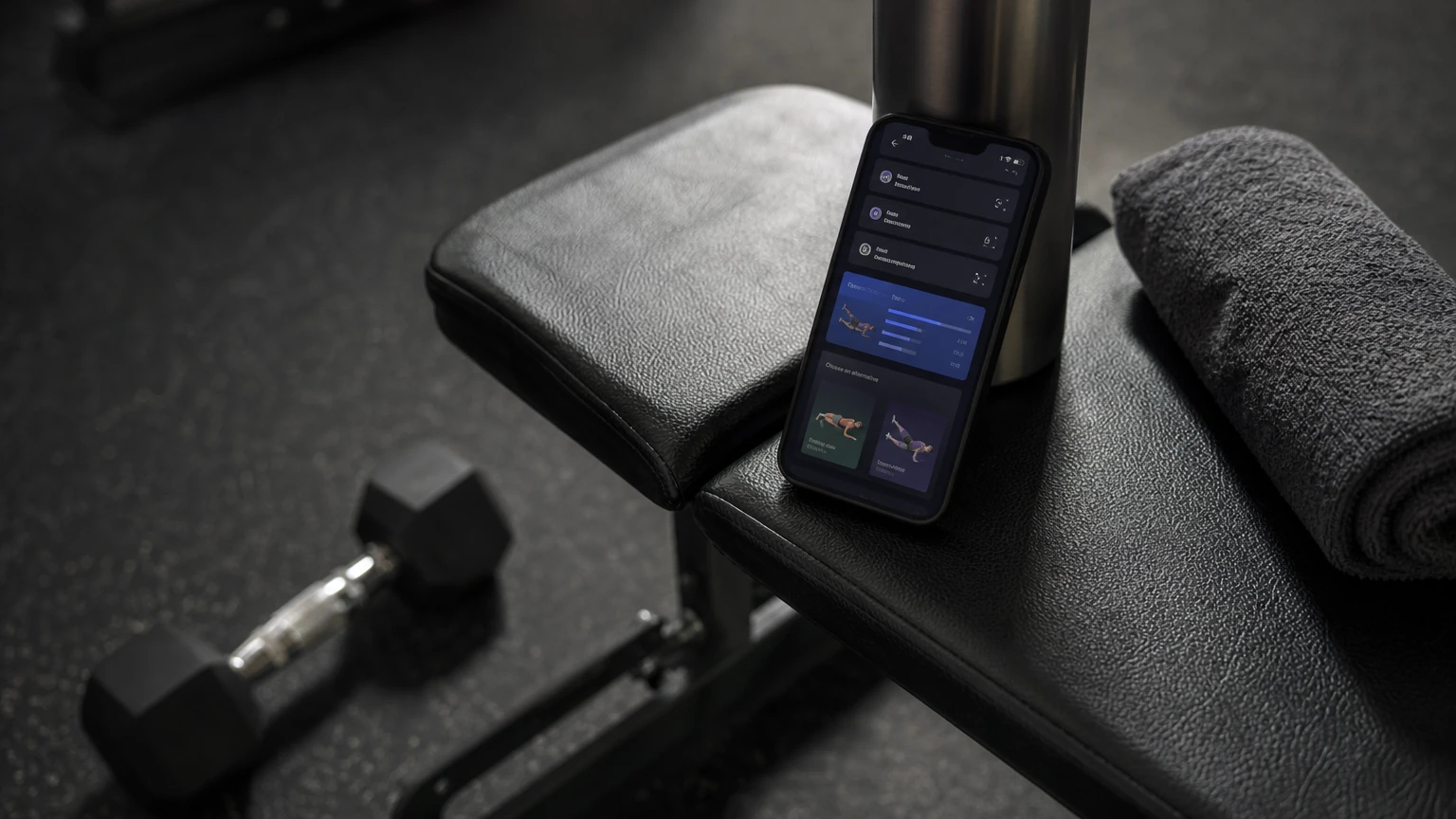
Start with one bounded feature, such as explaining a coach-approved workout or suggesting a safe exercise substitution. Keep progression rules in application code, give users control over their data and recommendations, and route pain, injury, or clinical cases to qualified review.
Which AI feature should a fitness app release first?
A fitness app should start with a bounded feature that makes an existing workout easier to understand or follow, rather than with a model that creates unrestricted training plans. Keep safety-critical progression rules in application code, use AI for constrained suggestions or explanations, and require qualified review whenever a user’s needs involve injury, rehabilitation, or clinical care.
That first release should solve a specific user problem with information the app can reliably collect. A hypothetical strength-training app might explain the coach-approved session already on a user’s schedule, or suggest an allowed substitute when equipment is unavailable. Those features can add convenience without asking a model to decide how much training a person should do from scratch.
The choice matters because fitness products sit between habit-building and health-related guidance. A feature that seems like a chat interface can influence exercise selection, workload, rest, and decisions about pain. If its inputs are incomplete or its boundaries are unclear, fluent output can make a bad recommendation sound credible. Founders need to decide not only what the model can do, but also what the product refuses to do and who reviews the uncertain cases.
The practical goal of AI fitness app development is not to put a model in every screen. The aim is to make the product more useful while preserving predictable behavior, trustworthy data handling, and a clear route to human expertise. Treat the first release as a test of one product hypothesis, not as proof that every part of coaching should be automated.
What makes a fitness feature useful enough for a first release?
A first-release feature is useful when it addresses a frequent point of friction for users, has suitable inputs, and can be checked against a clear product rule. Start from a real point in the user journey, then ask whether AI improves that moment more than a simpler interface or a fixed rule would.
A request such as “add an AI coach” is too broad to guide product decisions. It does not say which user needs help, what information the feature can see, what action it may take, or how the app will know whether the response helped. A better brief names the interaction: for example, a user wants to understand why a planned movement is in today’s session, or needs a permitted alternative when their gym lacks a particular piece of equipment.
Before choosing a model or interface, map the current experience:
- What task is the user trying to complete?
- Where do they hesitate, leave the flow, or enter inconsistent information?
- What information is already available, and how dependable is it?
- Can a fixed rule or better presentation solve the problem?
- What is the consequence if the feature is wrong?
- Can the user decline, correct, or undo the suggestion?
A feature belongs in the first release when these questions have practical answers. If the product cannot identify the relevant workout, preferences, or restrictions with confidence, adding a conversational layer will not fix the missing foundation. If a static explanation or a standard equipment filter solves the problem, a model may add unnecessary variability and testing work.
Compare first-release candidates by risk and dependence
The following hypothetical options illustrate why “most impressive” is not the same as “most appropriate to release first.”
| Candidate feature | User value | Data dependence | Safety exposure | A sensible first-release boundary |
|---|---|---|---|---|
| Explain a scheduled workout | Helps a user understand instructions they already have | Low if the app has an approved plan and exercise definitions | Moderate if the explanation changes the meaning of the plan | Explain only the plan’s saved content; do not invent a replacement |
| Suggest an equipment substitution | Helps a user continue when a planned item is unavailable | Moderate because equipment access and exercise constraints matter | Higher if the alternative changes the movement demand | Select from a coach-approved substitution set |
| Adapt workout progression | Can make training feel more responsive to logged performance | High because logs and context must be reliable | High because changes can affect workload and recovery | Let deterministic rules calculate allowed changes; use the model only for a constrained proposal |
| Answer a broad “fitness coach” chat | Offers a flexible interaction | High because the prompt may require context the app does not have | High because users may ask about pain, treatment, or diet | Defer broad autonomous coaching; narrow the scope and define escalation first |
The table is a product-design comparison, not a clinical assessment. A team can change the ranking if it has strong coaching oversight, carefully validated data, or a specific user group with qualified professionals involved. The default for a general consumer product should still be to limit autonomy where a wrong answer could affect a person’s physical well-being.
A useful first-release hypothesis is narrow enough to measure in product terms. For instance: “Users with an approved plan need a clearer explanation of today’s session, and an explanation grounded in saved plan data will help them start without changing the plan.” That hypothesis defines what the feature may use and what it must not alter. It also gives design, engineering, and product teams a shared basis for evaluating the release.
How should AI provide workout guidance without controlling the plan?
AI should explain or propose within rules that the application enforces, rather than independently deciding a user’s training progression. Store safety-critical programming logic in a deterministic rules engine, then validate every model proposal before showing it as an action.
A language model can produce clear, conversational text, but fluent language is not proof that a workout is appropriate. An unrestricted prompt that asks a model to create a complete plan from a brief user description can result in unsuitable exercise choices, workload changes, or pairings.
Put progression rules in deterministic code
The rules engine should own decisions such as permitted load progression, volume caps, required rest, and deloading conditions. Those are product rules, not wording preferences. They need to behave consistently and be testable without relying on a model’s interpretation of a prompt.
A hypothetical strength app could record a user’s completed sets and compare them with the prescribed session. If the user completed the session as planned, deterministic logic could calculate whether a change is allowed under the app’s progression policy. A model might then help explain the recommendation in plain language, but the rules engine should remain responsible for whether the change is allowed.
The same separation applies to substitutions. A model can help select or explain an option from a curated set, but it should not invent a movement and silently replace a planned exercise. The application can constrain the eligible options according to equipment, user settings, and approved programming rules. If those constraints do not produce an acceptable option, the product should say so and offer a safe next action rather than forcing a match.
Constrain proposals and validate them
When a model can propose a change, send it only the context necessary for that decision and require a structured response that the application can validate. A proposal might represent a permitted exercise substitution, a schedule shift, or a rule-bounded adjustment. It should not be an open-ended instruction that can rewrite a complete plan.
Validation should happen after generation and before the user sees or acts on the result. The application should check that:
- The proposed exercise or change belongs to an allowed set.
- Required fields are present and use expected types.
- Values fall within product-defined boundaries.
- The proposal does not conflict with a known limitation or schedule rule.
- The change is still valid against the current plan, not an outdated one.
- The user can understand what changes if they accept it.
If a proposal exceeds an allowed limit, reject or clamp it according to the product’s rules. Do not rely on a model prompt alone to enforce a safety threshold.
The user-facing explanation also matters. If the system rejects a suggestion, it should give a short, non-alarming reason and show an available next step. A generic “AI error” does not help the user understand whether their plan has changed. A clear message might say that the app cannot make that adjustment and that the original session remains unchanged.
Keep the model’s role visible
Users should be able to tell whether an item is part of their approved plan, a model-generated explanation, or a suggested change awaiting their confirmation. Blurring those states makes it hard to assess responsibility and can lead users to treat a suggestion as an instruction.
Use interface labels and interaction design to communicate status. A generated explanation can sit beside the saved exercise instructions. A proposed substitution can appear as a choice that the user must accept. A safety-relevant adjustment should not be applied silently in the background. If the product’s intended audience needs a trainer’s approval, the recommendation should remain a draft until that person has reviewed it.
This distinction is useful even when a model performs well. It makes the feature easier to test, gives users a way to correct a mistaken interpretation, and prevents an explanation feature from quietly expanding into an autonomous programming feature.
Which fitness app data needs to be reliable before personalization?
Personalization is only as dependable as the information it uses, so a team should establish trustworthy, low-friction workout logging before adapting recommendations to performance. Treat data collection as part of the feature design: prefill known values, validate entries, preserve work offline, and make corrections possible.
An adaptive experience may use workout completion, exercise selection, equipment access, preferences, and user-entered limitations. Those records can become inconsistent if the interface makes logging tedious, if the application loses data in a gym with poor connectivity, or if a person enters an accidental value. A model cannot reliably infer what happened from a record that is missing or wrong.
Reduce logging effort at the point of use
A user should not have to re-enter information the app already knows. If a session has planned targets, the workout screen can show those targets and let the user confirm that the set matched them, then edit only what changed. That gives a user a fast path when the session went as expected without blocking accurate logging when it did not.
The screen should distinguish planned values from completed values. A plan is an instruction; a log is a record of what happened. Combining them in one field can make it unclear whether the user has updated the plan, recorded a completed set, or done both. Clear state, confirmation, and undo reduce the chance that a mistaken tap corrupts the training history.
Keep optional questions optional unless they are essential to the feature. A user should not need to complete a long conversational intake to record a workout. If a preference or restriction is necessary before making a particular recommendation, ask for it at the point where it becomes relevant and explain how the answer affects the feature.
Handle network loss as a normal operating condition
A fitness app should keep a workout usable in a basement gym or another place with unreliable connectivity. Store the active session locally, allow users to record it without waiting for a server response, and synchronize when the device reconnects.
Offline behavior raises design questions that need explicit answers. What happens if the same workout changes on two devices? Does a later edit replace an earlier completion, or should the app keep both events and ask the user to resolve the conflict? Can the user review a saved session while the model service is unavailable? The safest fallback for a model-dependent feature is usually to preserve the user’s plan and logs, then defer the optional suggestion until the service is available.
With Flutter, teams can implement local-first data handling alongside cloud synchronization, but the framework does not settle the product’s conflict policy or data model. Those decisions belong to the application architecture. Keep the offline session experience simple enough that the user does not need to understand synchronization to trust that a completed workout has been recorded.
Validate inputs before they shape recommendations
Client-side validation should stop obviously invalid entries from contaminating summaries. Reject negative loads, impossible rep counts, malformed values, or other inputs that violate the app’s data model. Validation helps catch accidental entries, but it should not assume that every unusual value is necessarily an error. Let the user correct the record or confirm an unusual entry where the product needs to preserve a genuine variation.
Store enough context to interpret the record correctly. A load may need a unit, an exercise identifier, a date, and whether it was prescribed or completed. A user’s equipment availability may change, so do not assume that an old preference remains current without a way to update it. A recommendation based on a stale preference can feel arbitrary even when the underlying logic is consistent.
Data quality work is not a one-time cleanup before launch. Give users a way to correct a mistaken log, remove a workout, and understand when a change affects future recommendations. When a user edits historical data, show the updated record and avoid quietly presenting a new recommendation as if it came from the original entry.
Separate observed facts from inferred conclusions
A completed workout is an observation; “the user is ready for more volume” is an inference. Keep those categories distinct in storage and in product language. If an AI feature makes a recommendation from logged performance, the interface should not present that recommendation as a measured fact about the user’s body or fitness.
This distinction affects debugging too. Retain the inputs and rule outcomes needed to understand why a suggestion appeared, while minimizing sensitive information and controlling access. If the product cannot explain which saved information contributed to a recommendation, support staff and users may have no practical way to diagnose a surprising result.
What personalization should the first release actually include?
A useful first release should personalize only the parts of guidance that rely on information the product can collect consistently and the user can correct. Begin with stable preferences or approved-plan context; defer broad adaptation if the app lacks reliable training history or clear safety rules.
Personalization can mean many things: selecting equipment-appropriate options, presenting a preferred workout format, explaining instructions at a useful level, adapting a schedule, or changing training workload. Those are not equally risky. A preference that changes how instructions are displayed usually has a different consequence from a change that increases the demands of a session.
A hypothetical app could begin by tailoring explanations to equipment the user has marked as available. The app can restrict suggestions to an approved substitution list and ask the user to confirm that the equipment is currently accessible. That is a narrower claim than asserting that the alternative will produce an equivalent training effect. The interface should avoid making equivalence claims unless a qualified product review supports them.
Personalize presentation before prescribing change
When user history is limited, personalize how the app presents a known plan before adapting the plan itself. For example, a user might want a concise checklist, clearer exercise instructions, or a reminder of the coach-approved reason for a session. These changes can make the product more usable without implying that the app has enough evidence to rewrite training.
Keep presentation settings explicit and reversible. If a user prefers short instructions, let them change that choice without losing the underlying plan. If a generated explanation misstates a saved instruction, let the user return to the original plan and report the issue. Personalization should not make the source of the instruction harder to find.
A presentation feature still needs grounding. The explanation should be tied to saved plan content or reviewed exercise information, not a model’s unsupported interpretation of what the user “should” do. If required information is absent, the model should say it cannot answer from the available plan rather than filling the gap with confident speculation.
Treat adaptive progression as a higher-risk capability
Personalizing workload from performance logs requires a fuller design than comparing recent values with a generic template. The app needs to know how a session was completed, what progression rules apply, what limits are active, and whether a human professional has set constraints. It also needs a way to handle missing or contradictory entries.
The model should not decide that a poor session means a user lacks effort, nor should it infer that a completed session makes a person ready for a harder one. Those interpretations may depend on context the app does not have.
For users whose training is overseen by a qualified coach, let the coach control which parameters can be adjusted and whether a recommendation requires approval. A coach may need to see the relevant logs, the rules applied, and the exact proposed change. Avoid presenting an automated suggestion as coach-approved until that approval has actually happened.
Design for incomplete histories
A new user may have no history in the app, while an existing user may have gaps or changed routines. Do not treat an empty record as evidence that the person is a beginner or that a default progression is suitable. Offer the experience the product supports, explain what information it uses, and avoid claiming more personalization than the product can justify.
An incomplete history can also be a product signal. If users do not log sessions, find out whether the interface is too cumbersome, the planned workout is unclear, or the user is training outside the app. Increasing the number of questions or asking an AI model to fill in missing information does not solve the underlying data problem.
Where should an AI fitness app draw its safety boundaries?
An AI fitness app should stop autonomous guidance when a user reports pain, injury symptoms, dizziness, cardiovascular distress, or another concern that may require professional assessment. It needs two escalation paths, not one: urgent warning signs go to emergency services, and routine pain or injury concerns go to a licensed healthcare or physical therapy professional. On either path, the model stops adjusting the workout.
Users do not always phrase sensitive situations in a predictable way. A person might ask whether to keep exercising, describe a symptom in casual language, or mention a recent diagnosis while asking about an unrelated plan. A fitness product therefore needs an explicit policy for recognizing and handling risk-related inputs, not just a prompt that says “be safe.”
Intercept risk-related requests before generation
Use a preprocessing layer to identify inputs that should not proceed through ordinary workout guidance. Keyword matching can catch direct phrases, while intent classification can help identify less literal descriptions. Neither method should be treated as a complete understanding of a person’s condition. The product should define conservative escalation behavior for ambiguous cases rather than asking the model to make a medical judgment.
When a case is intercepted, show the prepared response for that path. Stop automatic training adjustments for that interaction. The message should not diagnose, minimize, or speculate about the symptom, and it should not suggest a workout workaround that could encourage the user to train through a concern.
Urgent warning signs need their own response. Chest discomfort, shortness of breath, discomfort spreading to the arms, back, neck or jaw, a cold sweat, nausea or lightheadedness can signal a heart attack. For these, the prepared message should tell the user to stop exercising and contact local emergency services now, and should not offer a referral, a rest day or a later check-in in place of that. Routine pain or injury concerns keep the referral to a licensed healthcare or physical therapy professional.
Test the interception flow with varied wording and surrounding context. A user may report dizziness as an aside, use a spelling variation, or describe a feeling rather than name a symptom. Test what happens when a harmless exercise question contains a risky term as well as when a concerning message uses ordinary, indirect language. The aim is not to produce a diagnostic classifier; it is to avoid inappropriate automated continuation.
Exclude clinical decisions from general fitness guidance
A general fitness feature should not diagnose an injury, prescribe therapeutic rehabilitation, recommend an extreme caloric deficit, or offer a specific clinical supplement regimen. Those requests need boundaries that are reflected in the product behavior, not just a disclaimer at sign-up.
The model should not present a recovery exercise as treatment for an injury or claim that a particular movement is safe for a named condition. If a product is intended to support rehabilitation or clinical populations, the design requires appropriate qualified oversight and a defined review process. In that setting, automation can prepare a draft or organize information for a professional, but it should not become an unsupervised directive.
Dietary advice deserves the same care. General healthy-living language is different from a plan that prescribes a severe energy restriction or a supplement regimen for a clinical purpose. If the product does not have qualified review for that use, it should decline the request and direct the user to an appropriate professional.
Define human review before building the review queue
Human-in-the-loop review only works when the product defines who reviews a recommendation, what information they can see, and what happens while a review is pending. A vague promise that “a trainer can review it” leaves product and safety decisions unresolved.
For a platform that supports advanced athletic training or clinical populations, the reviewer may need access to the proposed change, the relevant user-entered context, the underlying plan, and the rule outcome. Provide controls to approve, edit, reject, or request clarification. Keep a record of the decision and ensure that a rejected proposal does not quietly reappear as an accepted recommendation in another screen.
Review volume is also a product constraint. If the experience generates many suggestions that need a professional’s attention, the review workflow can become the bottleneck and users may wait without a clear status. Decide which recommendations need review, which can be safely declined, and how the app communicates a pending decision.
Make a safe fallback part of the feature
Every AI interaction needs a useful fallback when the model times out, returns an unusable response, or receives insufficient context. For workout guidance, preserve the approved plan and offer the user a path to continue without the AI suggestion. Do not let a failed request leave the screen blank or apply a partial update.
The fallback should also cover service outages and poor connectivity. A saved workout should remain accessible if a model service cannot respond. If a suggestion needs an online check, label it as unavailable rather than presenting an unverified local guess. Users need to know whether they are seeing the original plan, a saved suggestion, or a new response.
For a deeper release checklist, see How to Test an AI Mobile App Before Launch. The testing plan should include not only ordinary exercise questions but also risky inputs, missing context, malformed model output, offline behavior, and cases where the user changes a plan while a response is still in progress.
How should users control their fitness and health data?
Users should be able to understand, inspect, export, correct, and permanently delete the workout and biometric records the app stores. Request device permissions when a feature needs them, minimize what reaches model providers, and make privacy choices accessible from the product rather than buried in a technical explanation.
Workout logs and activity data can reveal sensitive routines, performance, and health-related information. A feature that sends a user’s full history to a model service for a narrow question may expose more than the task requires. Decide what the model needs before designing the data flow, then send a minimized context that answers that specific request.
Request permissions in context
Ask for health or activity permissions when the user reaches the feature that needs them, not as an unexplained hurdle during initial onboarding. Explain what the permission enables and what remains available if the user declines. A user who chooses not to connect a device should still be able to use any parts of the app that do not depend on that data.
Permission state can change. Users may revoke access, change devices, or stop using a connected service. The app should respond clearly: stop relying on data that is no longer available, avoid showing stale information as current, and provide a manual path where appropriate. Do not ask users to grant broad access when the feature needs only a narrower category of information.
Minimize and protect model inputs
Send a compact performance summary when that is enough to produce an explanation or constrained proposal. Avoid forwarding raw device health records when a smaller, relevant summary will do. Keep sensitive identifiers out of model prompts unless they are needed for the feature, and separate account identity from inference context where the architecture allows it.
Review provider contracts and configuration so that model providers do not retain or train on proprietary user inputs in ways that conflict with the product’s commitments. Technical settings, contractual terms, and user-facing promises must agree. If data handling depends on a provider option, verify that it is enabled and remains in place across environments.
The product should also limit access internally. Staff tools need role-based permissions appropriate to their tasks, and support workflows should avoid exposing full user histories when a narrower record is enough to diagnose an issue. Keep operational logs from becoming an unreviewed copy of sensitive workout or biometric data.
Give users practical control
A privacy policy is not a substitute for controls in the app. Explain whether deleting a record also changes derived summaries or future recommendations, and make the confirmation step clear before an irreversible action.
A deletion request needs a defined lifecycle across mobile storage, backend systems, synchronization queues, and model-related records. If a user deletes a workout but the app retains an aggregate derived from it, explain what remains and why. Design this before launch; adding a delete button without tracing downstream copies can create a misleading sense of control.
For a more detailed discussion of data handling choices, see AI App Data Privacy and Security. For this fitness feature, focus the review on actual data flows: device permissions, local storage, cloud synchronization, model requests, support access, exports, and deletion.
What should an AI fitness MVP measure before expanding?
An AI fitness MVP should measure whether the feature helps users complete its intended task without increasing confusion, unsafe suggestions, or dependence on unreliable data. Choose measures tied to the feature’s job, then inspect failures qualitatively instead of using engagement alone as proof that the guidance is useful.
A chat screen can generate activity because users are curious, not because it improves their training experience. For a workout explanation feature, useful signals may include whether users open the explanation, whether they return to the plan, whether they correct an error, and whether they complete the intended interaction. For a substitution feature, observe whether the user accepts or rejects the option and whether the app had enough information to make a constrained choice.
Those signals do not establish that a workout was clinically appropriate. Product analytics can show how users interact with the feature, but they cannot replace qualified review of safety-critical guidance. Keep product success measures separate from safety evaluation and make the limits of each measure clear to decision-makers.
Track response quality as well as usage
Review samples of generated output against a product-defined rubric. The rubric might assess whether the response stays grounded in the saved plan, follows the required format, explains uncertainty, and avoids crossing the feature boundary. For proposed actions, also check whether validation rejected or corrected an output and whether the user received an understandable explanation.
Log the minimum information needed to investigate failures. A useful record can include the feature path, relevant input categories, validation outcome, model response status, and user action, while avoiding unnecessary raw health details. Restrict access to these records and set retention rules that match the product’s privacy commitments.
A model can also fail silently by producing a plausible answer that is out of scope. Add review paths for user reports and unexpected outputs. If a user flags a response, the team should be able to identify the feature version, its rule outcome, and the information used without turning routine support into broad access to a person’s full activity history.
Test difficult interactions, not only the happy path
A launch review should include ordinary requests, ambiguous requests, and requests that should be declined or escalated. Test incomplete profiles, stale preferences, conflicting inputs, an unavailable model service, local changes made while a response is pending, and an attempt to apply a proposal that no longer matches the saved plan.
Include accessibility and interruption cases. A user might switch apps during a workout, lock the screen, lose connectivity, or make a correction after the app has queued a model request. Ensure the interface does not overwrite a newer user action with an older response. Give the user a clear way to abandon a suggestion and return to the saved plan.
Review the visual presentation of uncertainty as carefully as the text. If a suggestion is pending, label it as pending. If the model could not answer from the available information, do not show a generic response that looks like a personalized recommendation. If an expert needs to review the result, make that status visible.
Expand only when the first use case is stable
Do not turn a successful explanation feature into a broad coaching agent simply because users ask follow-up questions. New abilities bring new inputs, safety cases, data dependencies, and review requirements. Evaluate each expansion as a separate product decision.
The architecture should make boundaries easy to preserve. Keep rules, prompts, validation, user controls, and model calls separate enough that changing one feature does not silently alter all guidance. Version the feature behavior so the team can distinguish output from different configurations during testing and support.
If you are moving from a prototype to a production feature, AI Prototype vs Production App: What Founders Need Before Launch explains why production readiness requires more than a working demo. For a fitness product, the production gap includes offline behavior, data governance, safe failure modes, qualified review, and evidence that the feature does the job users need.
How do mobile architecture choices affect the feature?
Mobile architecture should keep the workout usable when connectivity or model services fail, while keeping data ownership and safety checks clear between the device and backend. The right implementation depends on whether the feature needs local logging, server-side inference, connected devices, or all three.
A fitness app is used in places where connectivity can be unreliable and where users expect quick input. If every set confirmation waits for a cloud response, the app can interrupt the workout precisely when users need it to respond quickly. Keep core logging local and treat cloud-based AI as an optional layer over the saved experience.
Separate workout records from AI requests
Represent workout plans, completed sessions, and AI requests as distinct concepts. A plan may change after a user edits it; a completed session should remain an account of what happened; an AI request should capture the question or constrained task without becoming the authoritative record of the plan.
This separation helps with offline synchronization and auditability. When a workout changes on the device, the app can save the change and reconcile it with the backend later. A model response that was generated against an older plan should be discarded or shown as stale rather than replacing the user’s newer version.
Define idempotent update behavior so retries do not create duplicate sessions or repeated changes. If the app sends a completed workout more than once after a connection failure, the backend should be able to recognize that the event has already been processed. Retry handling belongs in the data flow, not in a user’s memory of whether they tapped save.
Keep inference behind a controlled interface
The mobile client should not contain provider secrets or rely on a direct call that exposes credentials. Use a backend boundary for model access where needed, and validate input and output on the server as well as in the app. Client-side checks improve responsiveness, but the backend should not trust the device to enforce critical rules.
A backend can assemble the minimum context for a request, apply server-side validation, and record the decision needed for support. It can also reject a request when the user’s permissions or account state do not allow the relevant data to be used. Keep the rules engine and model integration independently testable so the team can change a provider without rewriting the workout experience.
The app still needs a graceful response when the backend is unavailable. Show the saved plan, keep local logs, and let the user finish the session. Do not block core use behind the AI endpoint unless the feature’s stated job genuinely requires it, and make that dependency obvious when it does.
Plan for connected devices deliberately
Bluetooth Low Energy integrations introduce additional data and state to manage, such as pairing, permission status, device availability, and measurements arriving at different times. Do not assume a connected device provides a complete or authoritative picture of a user’s workout. Define what each measurement represents and how the app handles missing, delayed, or unexpected values.
If the feature uses sensor data, tell the user which data is being used and provide a path to disconnect the device. Make the app usable when the device is absent or pairing fails. A model should not receive raw device records by default when a summarized, relevant value is sufficient for the proposed feature.
Teams planning this part of the product can review the BLE mobile app development guide for architecture considerations around connected devices. Keep device integration and AI personalization as separate design decisions: a sensor connection can improve a record, but it does not itself make an inference safe or clinically meaningful.
How should founders scope the first release?
Founders should scope the first release around one user problem, one approved data path, one set of allowed actions, and one fallback when the model cannot respond. A feature brief that names all four gives engineering and product teams concrete scope they can estimate, design, and test.
Describe the intended interaction in plain language. For example, “The app explains a saved exercise using approved plan information” is easier to validate than “The app acts as a personal trainer.” State who the feature serves, where it appears, what it reads, what it may produce, and which requests it must decline.
Write acceptance criteria around behavior
A useful feature brief says what happens in normal and failure conditions. For an explanation feature, acceptance criteria might include:
- The response refers only to the saved plan and reviewed exercise information available to the feature.
- The original plan remains visible and unchanged.
- The user can return to the original instructions or report a problem.
- If required context is absent, the app says it cannot answer from the available information.
- If the model service is unavailable, the user can still access and log the workout.
- Risk-related inputs follow the escalation policy instead of ordinary coaching.
- The user can see and control relevant health and activity permissions.
For a substitution feature, add criteria for equipment confirmation, allowed alternatives, user acceptance, and what happens when no approved substitute fits. These criteria are not a substitute for safety review, but they help prevent feature scope from expanding while implementation is underway.
Resolve ownership of product decisions
Before implementation, decide who owns the exercise library, progression rules, safety copy, user data policy, and review queue. A developer should not have to infer whether a particular training adjustment is acceptable from an informal prompt. Product and qualified domain reviewers need to define the permitted behavior.
Write down the rules in a form the team can test. Identify which changes are allowed, which require user confirmation, which require professional review, and which the app must decline. If the product cannot make those decisions yet, release a lower-risk feature first instead of hiding the unresolved policy inside a model instruction.
Estimate by identifying dependencies, not by guessing
The work required depends on the feature’s data model, existing workout flows, review needs, device integrations, model provider, and privacy requirements. A team should map those dependencies before estimating implementation. Ask whether the product already stores reliable workout records, whether offline logging exists, whether approved exercise definitions are available, and whether a qualified reviewer needs a workflow.
A prototype can help teams test interaction design and model behavior, but a production release also needs data synchronization, authorization, privacy controls, logging, validation, failure handling, and support paths. Do not treat a convincing demonstration as proof that these systems are ready. The production scope is driven by the risks and dependencies of the chosen feature, not simply by the number of screens.
A useful technical consultation should end with a defined first-release boundary, a list of system dependencies, the decisions still needing qualified input, and a testing approach. That gives founders a basis for comparing a narrow first release with a broader product roadmap without pretending that every team’s implementation has the same shape.
Conclusion
Start with an AI feature that explains or supports an approved workout, not one that independently controls training. Keep progression and validation in application rules, make logging and user controls dependable, and stop autonomous guidance when a user’s needs call for qualified review. Expand only after the first use case works safely with the data and mobile conditions your users actually face.
Next Steps
If you are planning a fitness feature, tell us about your project to get a technical discussion of the user problem, data flows, safety boundaries, and release scope. See what AI Product Development covers when you are deciding how to take an AI-assisted feature from concept into a mobile product.
Frequently Asked Questions
What AI feature should a fitness app build first?
Start with a bounded feature that explains an approved workout or suggests an option from a reviewed set. Keep the original plan in control, and defer autonomous progression until the app has reliable data and enforceable rules.
Can AI create personalized workout plans safely?
AI can support constrained recommendations, but a model should not independently create unrestricted training plans. Put progression rules in application code, validate proposed changes, and involve a qualified professional when the product serves clinical or advanced training needs.
What data does an AI fitness app need for personalization?
The app needs accurate, relevant records such as completed workouts, preferences, equipment access, and any user-provided limitations that the feature is designed to use. Collect only what the feature needs, let users correct their records, and avoid treating missing history as evidence about a person’s ability.
Should a fitness app use AI when a user reports pain?
No. Stop automatic training adjustments for reports of pain or concerning symptoms. Direct urgent warning signs, such as chest discomfort or shortness of breath, to local emergency services, and routine pain or injury to a licensed healthcare or physical therapy professional, without offering a diagnosis or workaround.
How can a fitness app work when its AI service is offline?
Keep the saved workout and local logging usable without the AI service. Show that an optional suggestion is unavailable, synchronize workout records when connectivity returns, and do not apply a stale model response over a newer user change.
Turn your app idea into a clear development plan.
Building something new or improving an existing app? Let's work through your product goals, technical challenges, and priorities. We'll help you define a practical scope, choose an architecture that fits, and understand what it takes to move forward.