
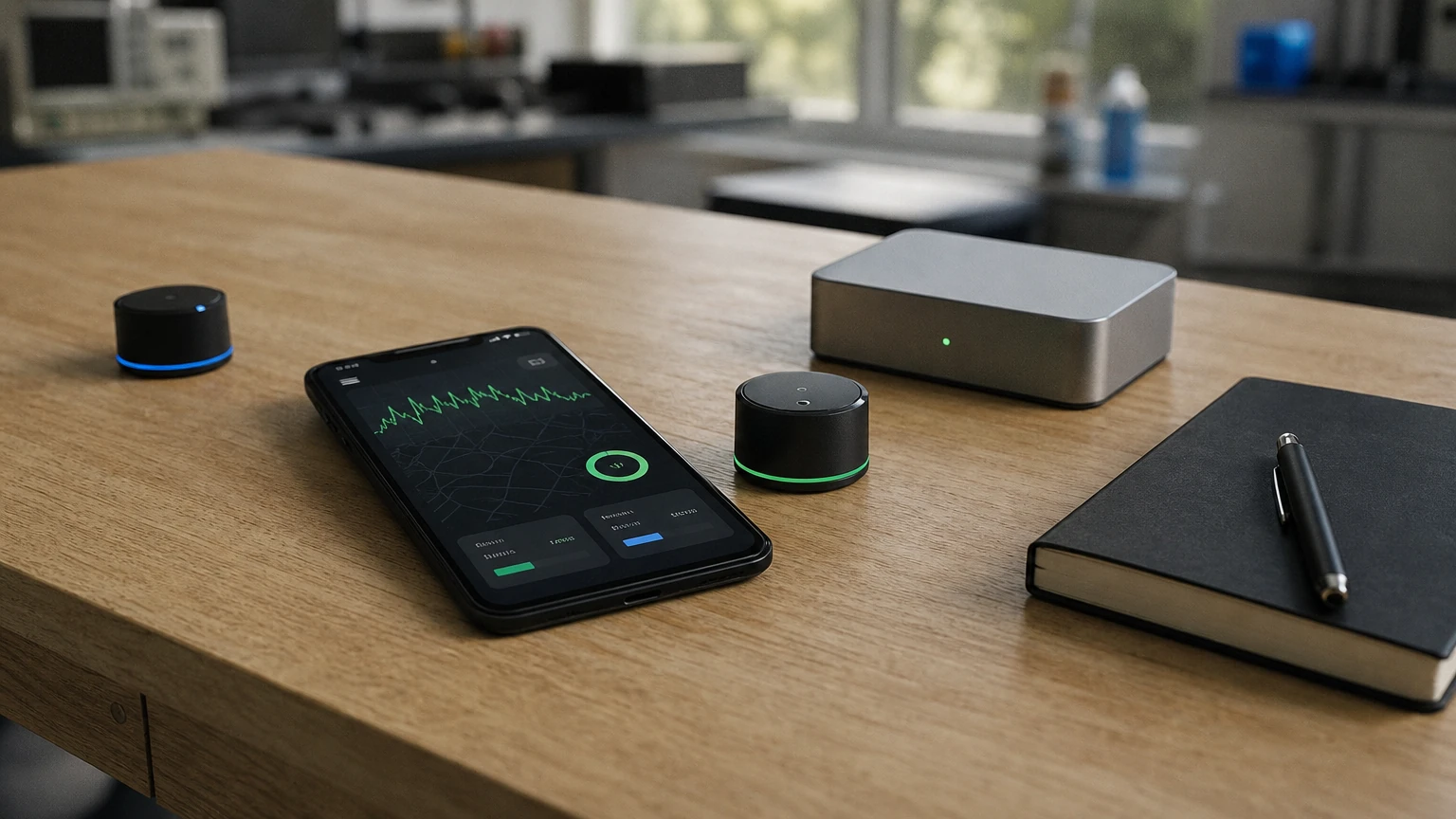
Build a BLE mobile app by defining the peripheral protocol first, then implementing scanning, GATT connections, data subscriptions, and recovery as explicit states. Flutter suits most cross-platform products; choose native iOS and Android when platform-specific Bluetooth behavior or deep OS integration is a core requirement.
How do you build a BLE mobile app?
Build a BLE mobile app by agreeing on the device protocol, modeling the connection lifecycle, and implementing scanning, GATT discovery, data exchange, and recovery against real hardware. Flutter is a practical default for a cross-platform product, while native development is the better fit when platform-specific Bluetooth control is a defining requirement.
The app and the peripheral are parts of one system, even when separate teams build them. A mobile screen can look complete while the product remains unreliable because the firmware advertises inconsistently, sends an undocumented payload, or disconnects without a recovery path. Define those behaviors before implementing the interface.
BLE is used in medical telemetry, athletic monitoring, industrial sensing, and consumer IoT. In these products, the phone may be the only user-facing computer and may also relay data to a backend. The engineering challenge is to make radio communication feel dependable without promising the operating system behavior that it cannot guarantee.
This guide takes you from BLE concepts to a practical Flutter implementation plan. It also covers stack selection, background constraints, payload design, security, testing, and the decisions that most often cause teams to rework an otherwise polished app.
What should you agree on before development?
Before development, write a device protocol that specifies how the peripheral advertises, connects, exchanges data, reports errors, and handles reconnection. A shared protocol is more valuable than starting with a scan screen because it gives firmware and app engineers the same definition of correct behavior.
The protocol should be readable by both teams and precise enough to test. Avoid descriptions such as “the app receives sensor data after pairing.” Specify what data arrives, how the app recognizes it, what happens when it is malformed, and how the peripheral behaves when a command is rejected.
Define the user journey
Describe the complete journey from the user’s point of view. A useful flow includes discovering a device, identifying the correct one, connecting, completing any required setup, receiving data, handling temporary loss of range, and removing or replacing the device.
Decide what the app should show in each state. For example, “connecting” should not be shown after the operating system has already reported a failed connection. Where possible, a disconnected state should distinguish a deliberate disconnect from a link loss, because the next action differs: one reflects user intent, while the other may warrant a retry.
Also decide whether the product supports one peripheral or several at once. Multiple-device support affects selection UI, connection ownership, data attribution, resource management, and testing. It is not just a matter of displaying more rows in a device list.
Write down the device contract
For every GATT service and characteristic the app uses, record:
- The characteristic’s purpose and whether the app reads, writes, or subscribes to it.
- The exact payload format, including field meaning, byte order, units, and valid ranges.
- Whether a write expects a response and what acknowledgement means.
- How notifications are enabled and what data follows the subscription.
- How the peripheral signals errors, reset events, or firmware changes.
- Whether a command is safe to retry after a timeout or disconnect.
Define protocol behavior for incomplete data and unsupported values. A mobile app should not treat every byte sequence as a valid measurement. Validation belongs at the boundary between raw BLE input and application state.
Decide who owns protocol changes
Firmware and app releases rarely reach users at the same moment. Plan for that reality by defining how the peripheral identifies its protocol or firmware capabilities and how the app responds to a version it does not understand. The right response might be to disable a feature, show an upgrade instruction, or refuse the connection for safety-critical workflows.
Keep protocol changes explicit. Reusing a characteristic for a different meaning can make an old app interpret new firmware data incorrectly. Prefer a contract that allows the app to recognize supported capabilities and handle missing or additional data deliberately.
How does BLE communication work?
BLE communication involves two sets of roles: central and peripheral for the radio connection, and GATT client and server for data exchange. A phone typically scans and connects as the central, while the hardware advertises as the peripheral and hosts GATT data for the app to access.
The distinction matters because “connected” does not mean “ready to use.” After the radio link is established, the app still needs to discover the relevant services and characteristics, then read, write, or subscribe according to the device protocol.
Advertising and discovery
A peripheral advertises packets that allow nearby centrals to discover it. The app scans for devices and decides which result matches its product. Advertisement data can expose a service identifier or a name, but the app should not treat a display name alone as a trustworthy identity.
Scanning should be targeted whenever the device protocol allows it. Filtering by the service UUID of interest reduces irrelevant results and keeps the app’s discovery flow focused. Scanning without a plan can flood the UI with nearby peripherals that happen to be present but are not part of the user’s task.
Some peripherals advertise only intermittently to conserve power. That affects discovery time and user expectations. The app should make scanning state visible, stop scans when they are no longer needed, and explain what the user can do if the peripheral is not found, such as checking that it is powered and nearby.
GATT hierarchy
The Generic Attribute Profile organizes connected-device data into a hierarchy:
- A service groups related functionality, such as device information or sensor measurements.
- A characteristic represents a value or operation, such as a measurement, setting, or command.
- A descriptor provides metadata or configuration associated with a characteristic, including notification-related configuration.
The peripheral usually hosts the GATT server, and the app acts as the GATT client. The client discovers the server’s structure and uses the operations allowed by each characteristic.
Attribute identifiers use a standardized 128-bit UUID format, as described in the Android Developers BLE overview. Treat UUIDs as part of the protocol contract: a matching UUID helps locate an attribute, but it does not explain the payload’s meaning or make the connection secure.
Characteristic operations
A characteristic may support reading, writing, or streaming updates. Choose the operation that matches the interaction:
- Use a read when the app needs a value on demand and the protocol supports retrieving it that way.
- Use a write for a command or setting sent to the device.
- Use write without response only when the protocol and device behavior make unacknowledged writes appropriate.
- Use notifications or indications when the peripheral needs to push updates without repeated polling.
Notifications suit ongoing updates where the app needs new values as they arrive. Indications include acknowledgement at the GATT level, but that acknowledgement does not automatically mean the user’s requested operation completed successfully. Define what success means at the application protocol level.
Link MTU and application messages
The negotiated MTU affects how much data can be carried in a single GATT transaction, but it does not replace application-level message design. A product should not assume that every phone and peripheral will negotiate the same capacity or that a larger transaction removes the need to handle incomplete or fragmented messages.
If a logical payload exceeds the transport capacity, define a framing scheme. The scheme needs a way to identify a message, distinguish chunks, detect missing or duplicate pieces, and determine when a complete message has arrived. The app should also reject frames that violate the protocol rather than attempting to parse arbitrary data as a valid command or measurement.
Which BLE development stack should you choose?
Choose Flutter when you want one shared product codebase and your BLE requirements fit the capabilities of a maintained plugin; choose native Swift and Kotlin when direct platform APIs or platform-specific behavior are central to the product. The choice should follow the device workflow and operational constraints, not a blanket claim that one framework is always faster.
| Approach | Where it fits | Main advantage | Main trade-off |
|---|---|---|---|
| Flutter with a BLE plugin | Cross-platform apps with shared product logic and compatible BLE workflows | Shared UI, state management, and protocol handling | Plugin capabilities and platform behavior need validation |
| Native iOS and Android | Specialized Bluetooth behavior or deep platform integration | Direct access to CoreBluetooth and Android Bluetooth APIs | Separate implementations must remain aligned |
| React Native with a BLE library | Teams that already maintain a React Native product | Builds on an existing JavaScript and React skill set | BLE behavior still depends on library and native platform integration |
Flutter: shared logic, platform-specific edges
Flutter lets you share much of the interface, product logic, and connection state model across platforms. That is useful when both platforms need the same device workflow and the team wants consistent behavior.
However, a shared codebase does not erase OS differences. Flutter BLE integrations rely on plugins, and the plugin communicates with platform Bluetooth APIs beneath the Dart layer. Test each target platform on physical devices. Do not infer that a feature works on iOS because the corresponding Android flow works, or the reverse.
Two common plugin patterns are useful to understand:
- A high-level stateful wrapper such as
flutter_blue_plusexposes commands and device handles that fit an imperative service layer. - A stream-first library such as
flutter_reactive_blemodels discoveries, connections, and subscriptions as event streams, which can fit reactive application state.
Choose based on how your team wants to manage lifecycle and events, then validate the exact operations your protocol requires. Review the plugin’s current maintenance status, platform support, permission guidance, and issue history before committing to it. Your integration should also isolate plugin-specific types behind an application-facing BLE service so a future plugin change does not spread through every screen.
Native: control at the cost of parallel ownership
Native development gives each platform direct access to its Bluetooth framework: CoreBluetooth on iOS and Android Bluetooth APIs on Android. This is the appropriate choice when platform-specific integration, specialized lifecycle behavior, or tight control over platform APIs outweighs the benefit of a single shared implementation.
The trade-off involves more than writing the interface twice. Protocol behavior, connection state, error handling, and test coverage must stay consistent between two codebases. If the same device command behaves differently by platform, the product inherits a difficult support problem. Shared protocol documentation and cross-platform test cases become especially important.
React Native: reuse an existing team’s skills
React Native may be a reasonable choice when the product and engineering team already use it and a suitable BLE library supports the required workflow. The same core engineering responsibilities remain: permissions, connection lifecycle, operation ordering, payload framing, and real-device testing.
Do not select a stack based only on the language already used in a web application. Check whether the BLE library provides the specific connection, scanning, background, and notification behavior the product needs. If the library requires native changes, account for who will maintain those changes as platform requirements evolve.
A practical decision rule
Start with Flutter for a cross-platform product whose BLE flow can be supported by a maintained plugin and whose platform behavior is conventional. Move toward native implementations when testing reveals that a required OS capability cannot be reliably exposed through the chosen plugin, or when platform-specific Bluetooth behavior is itself a product requirement.
If your product already has a framework, compare the cost of adding a carefully isolated BLE integration against the cost of rebuilding the application layer. A migration is not justified just because another framework has a different plugin. Make the decision from device requirements, platform behavior, team ownership, and the lifecycle the app must support.
How do you implement BLE in Flutter?
Implement BLE in Flutter as an application service that owns scanning, connection state, GATT discovery, subscriptions, and recovery, rather than putting Bluetooth commands directly in UI widgets. The service should expose product-level states and validated data to the rest of the app.
This architecture makes the screen easier to reason about. A UI can respond to states such as “searching,” “connecting,” “ready,” and “disconnected” without depending on a plugin’s device objects or managing listeners across page transitions.
1. Check adapter state and permissions
Before scanning, verify that Bluetooth is available and that the adapter is powered on. Permission behavior differs by platform and changes with operating-system policy, so request only the permissions needed for the feature and explain the request in user-facing language.
On Android, runtime Bluetooth permissions are part of the scanning and connection design. Permission declarations and runtime requests must match the operations the app performs. A scan intended only to discover peripherals should be described honestly; do not disguise location-related behavior or request permissions that the feature does not need.
On iOS, provide a clear Bluetooth usage description and design for the operating system’s permission prompt. If the user denies access, show a useful recovery path rather than leaving a spinner running indefinitely. A permission denial is a product state, not an unexpected exception to hide.
The radio state should also be observed after initial setup. The user can turn Bluetooth off while the app is open, and a device can become unavailable during a workflow. Make adapter state visible to the connection manager so it can stop invalid operations and update the interface coherently.
2. Scan with a clear purpose
Start scans only when the user or workflow needs discovery. Filter by the peripheral’s advertised service UUID when possible, use a bounded discovery flow, and stop scanning when the target is selected or the scan is no longer needed.
Do not treat every scan result as a unique device. Advertising packets may arrive repeatedly, and names may be missing or unsuitable for display. The app should identify candidates using the information defined by the device protocol, then present enough context for the user to select the correct peripheral.
The discovery UI should make progress and failure legible. Show that the app is scanning, allow the user to stop or retry, and explain likely causes when no candidate appears. Avoid displaying a result as connected merely because it was discovered.
3. Connect and track the connection as state
After selection, connect to the chosen peripheral and observe the connection lifecycle. Model connection as a sequence of states rather than a Boolean. A single connected flag cannot explain whether the app is scanning, connecting, discovering services, subscribing, ready, or recovering after a link loss.
A connection manager should own one connection attempt at a time for a given device. It should record whether a disconnect came from the user, from a failed connection, or from unexpected loss when that information is available. That distinction controls whether the manager should retry or wait for explicit user action.
Avoid turning automatic reconnect into an unbounded retry loop. The operating system and peripheral both influence whether a connection succeeds. Use a deliberate retry policy and expose a stable state to the UI while waiting.
4. Discover services and validate capabilities
Once connected, discover the services and characteristics the app needs. Do not assume that every device with a familiar name or advertised service has the complete protocol expected by the app.
Validate that required characteristics exist and support the operations the feature requires. If a required notification characteristic is missing, report an unsupported device or protocol mismatch instead of allowing a later subscription call to fail without explanation.
Cache discovered information only within the connection context unless the plugin and platform behavior clearly support a longer-lived cache. Firmware or device configuration can change the available GATT structure. If discovery results do not match expectations, provide a recovery path that starts with a fresh connection and a new discovery sequence.
5. Subscribe to telemetry
For a stream of sensor readings, subscribe to notifications or indications on the relevant characteristic rather than repeatedly polling. Notifications reduce the overhead of requesting every update and let the peripheral send data when the protocol says it is available.
Register the listener before treating the stream as ready, and handle subscription failure as a connection setup failure. A screen should not claim that live data is available until the subscription has been enabled and the application protocol is ready to consume incoming values.
Incoming bytes should pass through a decoder that checks frame completeness, validity, and expected message type. Keep raw BLE bytes out of UI state. Convert them into typed application data only after parsing succeeds, and represent invalid or incomplete frames as protocol errors rather than as plausible measurements.
6. Send commands through an operation queue
Serialize GATT operations that must not overlap. Platform Bluetooth daemons process operations with their own constraints, and issuing writes concurrently without waiting for completion can produce dropped data or generic GATT failures.
A queue should record each operation’s intent, await its result, and define how the application responds to failure. For a command that changes device configuration, a successful write call may only mean that the transport accepted the request. The protocol may require a separate acknowledgement or a later read to confirm the new state.
When a command is safe to retry, make retries explicit and bounded. When a command is not idempotent, such as one that starts an action or increments a value, do not replay it blindly after a timeout. Define the outcome for an interrupted command in the device protocol.
7. Clean up subscriptions and connections
Tie listeners to a clear owner and cancel them when that owner no longer needs the stream. A page should not leave behind a subscription that continues updating disposed state or duplicates events after the user returns to the screen.
The BLE service should define which component owns the connection. If the connection should survive navigation, the screen must not disconnect it just because its widget is disposed. If the connection is screen-scoped, cleanup should close it deliberately and update state so another component does not assume the device remains available.
Unexpected process suspension or termination can leave the peripheral and app out of sync. On resume, reconstruct the connection state from current platform events and protocol checks. Do not assume the last state stored in memory still reflects the radio link.
How should you design the BLE state machine?
A BLE state machine should represent each meaningful stage of discovery and data exchange, including failure and recovery, so the app never confuses “radio connected” with “feature ready.” Clear states make retries, UI feedback, and diagnostics much easier to implement.
A useful state model might include:
- Idle, when the app is not looking for a device.
- Scanning, while discovery is active.
- Device selected, after the user or workflow chooses a candidate.
- Connecting, while the link is being established.
- Discovering services, while the app checks the GATT structure.
- Subscribing, while required telemetry streams are configured.
- Ready, when commands and data flows are available.
- Recovering, when the link is unexpectedly lost and a retry policy is active.
- Failed, when the current attempt cannot proceed.
- Disconnecting, when the app is closing a connection intentionally.
These names are examples, not a requirement to reproduce a particular class hierarchy. The important point is that transitions have defined causes and outcomes. For example, a connection failure should not transition directly to “ready” because a stale event arrived from an earlier attempt.
Guard against stale events
Asynchronous BLE events can arrive after the user has moved on. A scan result may be delivered after the scan screen closes; a notification may arrive just as a disconnect begins; a previous connection attempt may fail after a newer attempt has started.
Associate each attempt with an internal identity or generation and ignore events that no longer belong to the active attempt. This prevents an old callback from overwriting a newer state. Also cancel subscriptions when possible, but do not rely on cancellation alone to erase events already queued for delivery.
Keep UI states meaningful
The UI should communicate the current action and the next useful step. “Connecting” can remain visible while a connection is being established, but it should not conceal a permission problem or unsupported device. A failure message should distinguish a user-correctable condition from a protocol or device fault where possible.
For data displays, make freshness explicit when stale readings could mislead. A last-known value is not the same as a current stream. The UI should reflect whether updates are arriving and whether the app has verified the data’s validity.
Log transitions without logging secrets
Record state transitions and failure categories in a way that helps diagnose field issues. Useful events include scan started, candidate selected, connection attempt started, service discovery completed, subscription enabled, command rejected, and link lost.
Diagnostics should avoid collecting sensitive payloads by default. Keep device identifiers and user data out of logs unless there is a clear, disclosed need and a safe retention plan. A good event log explains the sequence of operations without exposing the values the device measures.
What BLE engineering problems should you plan for?
The most common BLE engineering failures come from treating the radio connection as a reliable application session, sending overlapping operations, or assuming a payload always fits in one transaction. Design for interruption, ordering, and incomplete data from the start.
Connection loss and retry behavior
Peripherals can disconnect when they move out of range, enter a low-power state, reset, or lose power. The app needs to distinguish a temporary interruption from a deliberate disconnect and use a retry policy that does not overwhelm the device or phone.
Use exponential backoff with jitter for automatic retries. Backoff spaces out repeated attempts, while jitter prevents multiple clients from retrying in lockstep. Reset the retry policy when a meaningful success occurs, and stop retrying when the user cancels, permissions are denied, or the peripheral is known to be unavailable.
Do not promise instant reconnection in the interface. The operating system controls parts of the connection process, and the peripheral may not be advertising. Show that recovery is in progress and give the user a clear way to retry manually or cancel.
Sequential GATT operations
Queue operations that share a connection. A common failure pattern is firing multiple writes at once because several UI controls change together. The app then receives errors that are difficult to attribute, or the device processes commands in an order the user did not expect.
Keep transport operations separate from UI intent. The UI can request “set measurement mode,” while the BLE layer waits for any current operation, performs the write, checks the result, and waits for protocol confirmation if required. This makes ordering visible and testable.
Fragmentation and framing
Treat large application messages as a protocol problem.
Design framing so the receiver can detect a truncated message, duplicate chunk, wrong sequence, or unexpected order. Include enough information to reject incomplete data safely. Do not send a large byte list and assume that notifications or writes will arrive as a single complete application message.
The peripheral and app must agree on the frame format. Firmware should not add a field or change a unit without a compatible protocol transition. If the app encounters a frame it cannot parse, it should report a protocol error and recover without corrupting the next message.
Payload validation and units
Convert raw values at one boundary in the codebase, then pass typed values through the application. Document units and scaling in the protocol. A value encoded as an integer could represent a raw count, a scaled physical measurement, or a status code; guessing makes incorrect data look credible.
Validate ranges and message types before updating the UI or sending data to a backend. For safety-sensitive measurements, make invalid values visible as errors rather than silently clamping them into a plausible range. Preserve enough diagnostic context to investigate a decoding problem without retaining sensitive measurement content unnecessarily.
Android and iOS differences
Android exposes controls such as requesting an MTU and connection priority through its Bluetooth APIs, and scanning is subject to runtime permission requirements. iOS manages important connection details through CoreBluetooth and imposes its own background execution rules. A cross-platform app must account for these differences in its design and testing.
Do not put platform-specific assumptions into shared protocol logic. Keep shared code responsible for application state and message interpretation, while the platform integration handles the supported OS behavior. Where the plugin exposes a feature on one platform but not another, make the product behavior explicit instead of allowing an apparently shared feature to diverge silently.
What changes when a BLE app runs in the background?
A BLE app cannot assume that its process will remain active just because the peripheral is connected, so background behavior must be designed around the operating system’s lifecycle rules. Decide whether background operation is essential, optional, or out of scope before you promise continuous monitoring.
A feature that works while the app is open may not behave the same after the user switches apps, locks the screen, or the operating system suspends the process. Background policies are platform-specific, and plugin support does not override OS limits.
Define the actual background requirement
Ask what the product needs the app to do when not visible. There is a meaningful difference between reconnecting when the user returns, receiving a specific device event in the background, and maintaining a continuous stream for a safety-critical workflow.
If the product only needs to show current information after the user opens the app, reconnecting and refreshing on foreground return may be sufficient. If the feature requires delivery while the app is not active, verify the platform mechanisms, peripheral behavior, and plugin capabilities before building the product around it.
Design foreground recovery
On resume, inspect the current adapter and connection state rather than trusting the last value retained in memory. Re-establish the workflow from the earliest state that can be verified. If the link is present but the notification subscription is not, the app should restore the subscription before presenting the stream as live.
Avoid a UI that displays an old “connected” indicator while the app is still checking the link. Make reconnecting and refreshing distinct states, especially when users depend on up-to-date sensor data to make decisions.
Treat background claims as product requirements
State clearly what is and is not guaranteed. A continuous background experience needs real-device validation under the operating systems and device conditions the product supports. Product copy should not promise uninterrupted monitoring unless the complete behavior has been engineered and tested for that use.
How should you test a BLE mobile app?
Test a BLE mobile app with the real peripheral, real phones, and repeatable protocol scenarios; a simulator cannot reproduce the radio, firmware, and operating-system behavior that determines connection reliability. Combine automated tests for application logic with hardware-in-the-loop tests for the actual BLE workflow.
Test the decoder independently
The payload decoder should be testable without a Bluetooth connection. Provide valid frames, malformed frames, missing fields, unsupported message types, and boundary values. Verify that invalid input produces an explicit protocol error and does not update the application with misleading data.
Test encoding and decoding together when the app generates commands or payloads. Shared examples of protocol frames help firmware and mobile engineers catch mismatches early. Keep these fixtures aligned with the written protocol rather than copying expected values from implementation code alone.
Test the connection lifecycle
Exercise each state transition deliberately: scan begins, candidate appears, connection succeeds, discovery succeeds, subscription succeeds, and data arrives. Then test the failure cases: adapter off, permission denied, connection failure, missing characteristic, subscription error, malformed notification, and unexpected link loss.
Test cancellation as well. A user may leave the discovery flow, choose another peripheral, or close the screen while a connection attempt is still running. Ensure old operations do not mutate state after the user has cancelled or started a new attempt.
Test realistic device conditions
Run scenarios that reflect how the product will be used: the peripheral starts advertising late, moves out of range, restarts during a session, or sends data faster than the UI needs to redraw. Include extended sessions, repeated connect and disconnect cycles, and device switching where the product supports it.
Use physical devices that represent the supported platform range. Bluetooth chipset behavior, OS lifecycle rules, and plugin integration cannot be validated by a single desktop test. Keep a reproducible test checklist so a firmware update or plugin change does not silently break a previously working workflow.
Make failures diagnosable
Capture a sequence of relevant events with timestamps and error categories, then review it alongside firmware logs when a field failure occurs. Diagnostics should answer what the app was doing immediately before the failure and whether the failure occurred during scanning, connecting, service discovery, subscription, or data processing.
Use privacy-aware logging. Avoid storing raw biometric or financial payloads just to make debugging easier. When sensitive data is involved, design a deliberate support workflow that records the minimum information needed to diagnose a fault.
How do you secure a BLE app?
Secure a BLE app by protecting the link where the peripheral supports authenticated pairing, validating every message, and adding application-layer protection when the data requires end-to-end confidentiality or integrity. A successful BLE connection is not proof that the connected device or its payload is trustworthy.
Choose pairing that matches the threat model
“Just Works” pairing does not provide the same protection against man-in-the-middle attacks as authenticated methods. For sensitive products, use passkey entry or numeric comparison when the peripheral has the interface and protocol support to do so.
The pairing flow requires a joint decision about the hardware and mobile app. If the peripheral has no input or display, the team must decide how users establish trust and how the device is bound to an account. Do not treat a pairing prompt as a complete identity system.
Protect sensitive application data
Link-layer encryption protects the BLE connection, but sensitive telemetry may need protection at the application layer as well. Application-layer encryption can keep data protected beyond the immediate radio link, particularly when the app forwards measurements to another service or stores them for later use.
Define key creation, provisioning, rotation, storage, and recovery as part of the system design. Encrypting a payload without a sound key-management plan does not make the product secure. Keep cryptographic operations behind a well-defined protocol layer and test compatibility with firmware.
Validate commands and incoming values
Treat all incoming data as untrusted input. Validate message type, length, framing, and permitted values before acting on it. On the command path, ensure that the app only exposes operations the current user and device state are allowed to perform.
Do not rely on a hidden UI control to enforce authorization. Validate sensitive operations in the application logic and, where required, in the backend or device protocol. The enforcement point should match the threat: an app-side check alone cannot protect a device from another client that can reach the peripheral.
Request permissions transparently
Bluetooth permissions exist partly to protect user privacy. Explain why the app scans for nearby hardware and request access in the context of the feature that needs it. Permission text should describe the actual behavior, not use generic language that leaves users unsure why access is needed.
The app should continue gracefully when a user declines an optional permission. If the feature cannot work without that permission, state the limitation and let the user choose whether to try again. Do not repeatedly prompt without giving the user a reason to reconsider.
How do you plan BLE delivery and maintenance?
Plan BLE delivery around protocol readiness, hardware access, platform validation, and failure handling rather than treating Bluetooth as a small feature added after the app is built. The device and mobile teams need time to test their integration together, especially when firmware changes during development.
Build in vertical slices
A useful first slice proves the complete path: identify the intended peripheral, connect, discover one required characteristic, receive a valid update, and recover from a controlled disconnect. This tests the riskiest assumptions earlier than a finished UI built against mocked device behavior.
After that path works, add commands, configuration, additional measurements, and more complex device states. Keep each slice tied to an observable outcome. This makes it easier to discover that the protocol or plugin cannot support a requirement before the app’s architecture depends on it.
Assign ownership across teams
The firmware team owns peripheral behavior, the mobile team owns client lifecycle and presentation, and product owns the user-visible promise. The protocol is shared ownership. Changes to a service, characteristic, payload, or state transition should be reviewed by everyone who depends on it.
Agree on how teams will handle firmware that is not yet available. A simulator, development peripheral, or documented test fixture can help, but it should supplement rather than replace testing against real hardware. Keep test firmware representative of the actual device’s advertisement, GATT structure, and power behavior.
Maintain the complete integration
A BLE release has dependencies beyond app code. A plugin update, mobile OS change, peripheral firmware revision, or permission change can alter the user experience. Track these dependencies and retest the workflows they affect before shipping an update.
For ongoing release planning, the Flutter app maintenance checklist can help you define what to review as the app and its dependencies evolve. If your backend stores or relays device data, pair the mobile plan with backend and cloud engineering decisions about ingestion, validation, and data access.
Estimate from the integration risk
A useful estimate starts with the device workflow, supported platforms, number of peripheral types, firmware readiness, background requirements, security model, and test access. A simple device that exposes a stable protocol is a different engineering task from a product with changing firmware, multiple simultaneous peripherals, or sensitive data handling.
Ask for an estimate based on a working vertical slice and a documented protocol, not a screen count alone. If you are also deciding between shared and separate codebases, use the Flutter versus native app comparison to frame that decision. For a broader budgeting discussion, see the mobile app development cost guide.
Conclusion
A reliable BLE app starts with a precise device protocol and a state model that handles discovery, connection, data exchange, and failure as separate concerns. Choose Flutter when a maintained plugin supports the required workflow; choose native development when platform-specific Bluetooth control is essential. Validate the complete experience with real hardware before promising background or real-time behavior.
Next Steps
Nautilus Techlabs can help you define the BLE integration, choose a mobile architecture, and get a scoped estimate for your app; tell us about your project. For a cross-platform implementation, explore Flutter app development.
Frequently Asked Questions
How do I build a BLE app in Flutter?
Start by defining the peripheral protocol, then implement scanning, connection state, GATT discovery, subscriptions, queued writes, and recovery in a dedicated service. Test the workflow on real iOS and Android devices with the actual hardware.
Should I use Flutter or native development for a BLE app?
Use Flutter when a maintained plugin supports your device workflow and shared cross-platform logic is valuable. Choose native Swift and Kotlin when the product needs platform-specific Bluetooth behavior that the plugin cannot expose reliably.
Does a BLE app need internet access?
No. BLE communication between a phone and a peripheral does not inherently require internet access. An app needs network connectivity only for features such as account sync, cloud storage, remote configuration, or data sharing.
Can a BLE app work in the background?
Sometimes, but background behavior is controlled by each mobile operating system and depends on the feature and device workflow. Validate the required behavior on physical devices before promising continuous background monitoring.
How do BLE apps handle large data payloads?
They use an agreed application-level framing protocol to split and reassemble messages that exceed the negotiated transport capacity. The protocol should detect incomplete, duplicated, or invalid chunks before the app processes the data.
Turn your app idea into a clear development plan.
Building something new or improving an existing app? Let's work through your product goals, technical challenges, and priorities. We'll help you define a practical scope, choose an architecture that fits, and understand what it takes to move forward.