
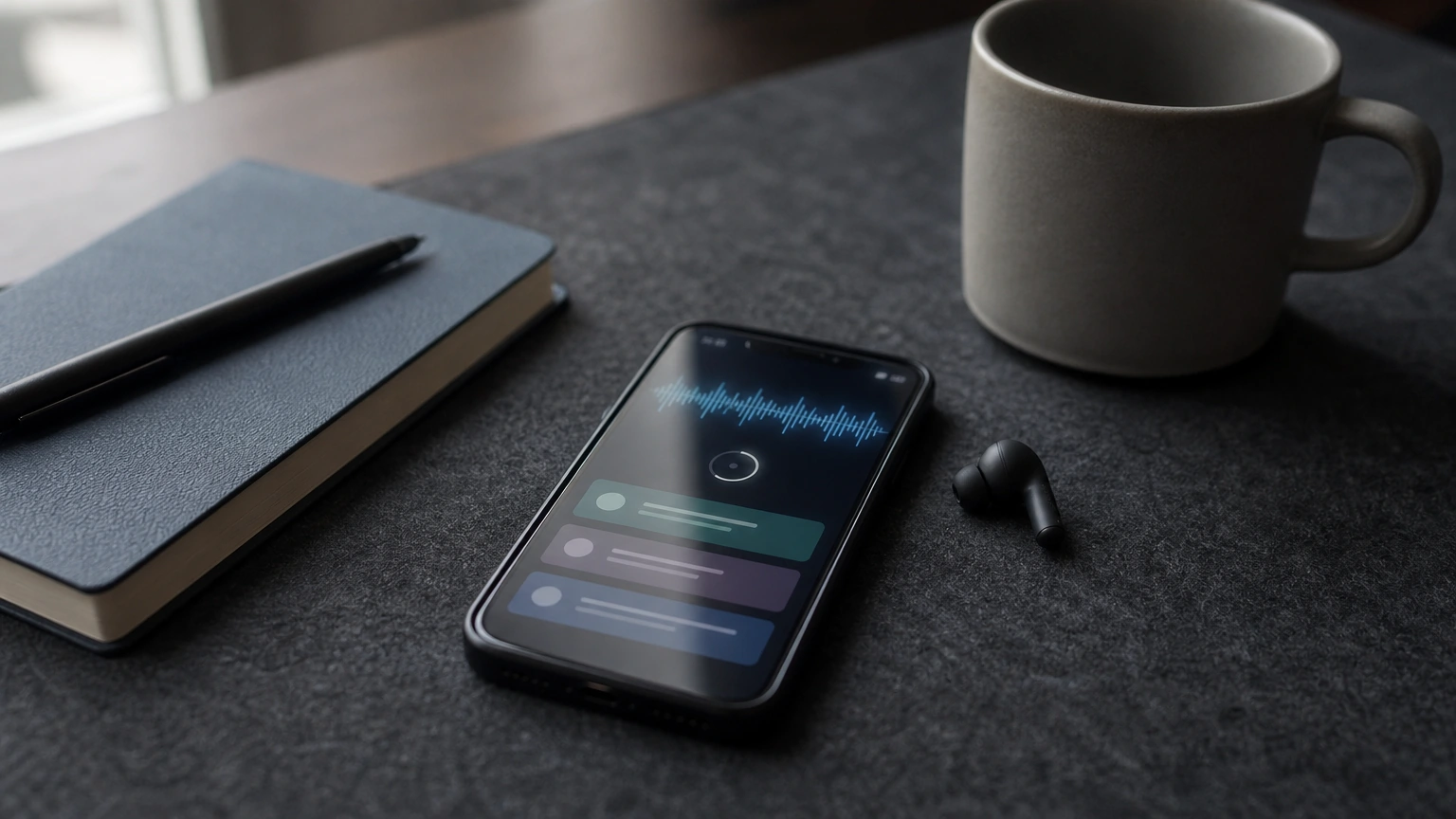
Build speech-to-text around the transcript the user needs to keep, and treat correction, privacy, and interruption handling as core features. Choose live streaming for immediate text, or recorded-audio transcription when users can wait; select on-device or cloud processing based on language, acoustic conditions, connectivity, and data policy.
What should founders plan for speech-to-text in a mobile app?
Plan speech-to-text as an audio-to-text workflow whose output users can review, correct, and keep. Choose live transcription when users need words on screen as they speak, and recorded-audio transcription when they can wait for processing after recording ends.
The feature is more than a microphone button connected to a recognition engine. Your product must decide what happens to the audio, how the transcript behaves while it is incomplete, what users can fix, and what the app does when a call or network interruption disrupts capture. These decisions shape trust and usability as much as recognition quality does.
A transcript can be useful even when it is not perfect, provided the app makes mistakes visible and correction straightforward. But if users must replay long recordings, reconstruct missing sections, or worry that sensitive speech was sent somewhere unexpected, the feature can create more work than it removes. Start with the user’s reason for speaking instead of selecting a provider first.
This article covers dictation, notes, and transcripts that users keep. It does not cover spoken replies or conversational voice assistants. For a separate feature that responds to spoken requests, see Building a Mobile App Chatbot Around One Useful Task.
How do live and recorded-audio transcription differ?
Live transcription returns text while the user speaks, whereas recorded-audio transcription processes an audio file after capture is complete.
The distinction is a product decision, not merely a choice of API. Live transcription gives users visible feedback during the action, which helps them notice a misheard word or decide when to pause. Recorded-audio transcription lets the app preserve a complete recording before processing it, which can suit longer notes or interviews where a delay is acceptable.
| Product requirement | Live transcription | Recorded-audio transcription |
|---|---|---|
| The user needs text during speech | Strong fit | Poor fit |
| The user can review after recording | Possible, but may be unnecessary | Strong fit |
| The app should keep a recording | Requires a separate recording strategy if audio must be retained | Natural fit |
| A brief network loss occurs during capture | The stream may need recovery or a visible pause state | The app can preserve the file locally and process later, if its storage and upload design support that |
| The transcript can wait while processing finishes | Usually unnecessary complexity | Often a good fit |
Choose live transcription for visible, ongoing feedback
Live transcription is appropriate when the user needs to watch words appear as they speak. Examples include dictation into a document, composing a note hands-free, entering a search phrase, or following a live transcript as a conversation happens. In each case, the visible text is part of the interaction, not just an output delivered at the end.
A streaming design receives audio in pieces and presents an evolving transcript. Early text may be provisional, and later results may revise or finalize it. The interface must make that distinction understandable. If a user sees a phrase change, the app should not make them think previously accepted text has silently disappeared.
Live feedback also creates more operational work. The app has to manage a microphone session, keep the connection or local recognition process available, handle partial results, and decide what survives when the user pauses, switches apps, or loses connectivity. A live transcript that looks immediate but drops words during an interruption can feel less trustworthy than a slower, clearly explained workflow.
Use live processing when its feedback changes what the user can do. If the user simply records a thought and reads it later, showing interim text may add implementation and interface complexity without improving the task.
Choose recorded audio when a complete capture matters more than instant text
Recorded-audio transcription is appropriate when users can finish speaking before the app produces a transcript. A voice memo, structured interview, or long-form note may fit this pattern when the user wants to concentrate on speaking, then review the result afterward.
The app first captures an audio file, then sends or processes that file when recording stops. This separation can make it easier to preserve the source recording, retry transcription after a failed request, or offer playback while the transcript is reviewed. Those benefits exist only if the product deliberately implements storage, retry, and playback behavior.
Batch processing does not remove the need for a responsive interface. The user needs to know whether recording is active, whether the file was saved, whether transcription has started, and what to do if processing fails. A spinner alone does not answer whether the audio is safe or whether the user can leave the screen.
Consider recording locally before attempting a cloud upload when the workflow must protect captured speech from transient connectivity problems. That approach still needs an explicit policy for local storage, file deletion, upload retries, and the user’s right to discard the recording.
Combine the patterns only when each one serves a clear purpose
Some products can stream audio for immediate text while also retaining a recording for playback or a later pass. That hybrid can support a responsive interface and a durable audio source, but it adds responsibilities: the app must align the recording with the transcript, communicate processing states, and define which copy is authoritative if the two do not match.
Do not adopt both patterns simply because they seem more complete. If the user never needs the audio again, retaining it can increase privacy and storage risk. If immediate text is not useful, streaming creates failure modes that a file-first workflow may avoid. Let the core user task justify the extra path.
How should you choose between on-device and cloud processing?
Choose on-device processing when offline use and keeping audio on the handset are central requirements; choose a cloud service when the required languages, acoustic conditions, or recognition capabilities exceed what your supported devices can handle reliably.
On-device and cloud processing shift different costs and risks. Local processing avoids sending raw speech to a remote service, but it can consume device resources and requires careful support for language availability and hardware differences. Cloud processing can provide a more capable or consistent service for some language and audio needs, but it introduces network dependence, provider charges, and decisions about transmitting and retaining sensitive material.
| Consideration | On-device processing | Cloud processing |
|---|---|---|
| Network connection | Can support offline use when the required recognition capability is available locally | Requires connectivity for service requests, unless the product has a separate offline path |
| Audio location | Audio can remain on the handset | Audio or derived data is sent to a provider for processing |
| Device resources | Uses local memory, processor capacity, and battery | Shifts much of the inference workload to remote infrastructure |
| Platform behavior | Capabilities and language support can vary by operating system and device | A service can offer a more uniform endpoint, but network quality still affects the experience |
| Usage cost | Avoids per-request cloud charges, but local development and device constraints remain | Usage charges scale with the provider’s pricing and the amount of audio processed |
| Best initial question | Can supported devices meet the product’s accuracy and language requirements? | Can the app justify transmission, connectivity requirements, and recurring usage charges? |
Treat on-device as a product constraint, not a free shortcut
Keeping recognition on a phone can be valuable when audio is sensitive or users need the feature without connectivity. It does not guarantee consistent results across the supported device range. Operating systems expose different speech capabilities, available languages can vary, and a device’s processor, memory, or battery condition can affect the experience.
For a Flutter app, a local speech capability may require platform-specific implementation behind a shared application interface. That can be a sensible architecture: the product can keep its user-facing workflow consistent while the platform layer handles operating-system differences. However, the team must still test on the actual platforms and devices the app supports.
Open-source models can also be run locally through mobile runtimes, but that choice brings a model packaging and performance problem into the app. The team must evaluate how the model affects download size, storage, processing time, battery, and supported hardware. Avoid treating “no cloud bill” as “no cost”; operational effort and device limitations still affect the product.
Treat cloud processing as a recurring service dependency
Cloud APIs can be a practical choice when broader language coverage, difficult acoustic conditions, or service-side capabilities are needed. They also make connectivity part of the feature. If the connection fails during a live session, users need to know whether the transcript stopped, whether audio was preserved, and whether the app can resume or retry.
Provider pricing is commonly tied to the amount of audio processed, so a product’s recurring spend follows usage rather than just the number of installations. Compare providers using the unit and rules on their current official pricing pages. Check how each provider defines billable audio, rounds usage, treats streaming sessions, handles minimum charges, and prices optional capabilities. Pricing changes over time, so record the provider’s published rate and date in your own evaluation instead of embedding an unverified amount in a forecast.
Model the workload from product behavior before choosing an API. A user who records many short notes may create a different billing pattern from one who uploads a small number of lengthy interviews. Retries, abandoned sessions, background uploads, and reprocessing can also add billable usage if the provider charges for those requests. Include them in the forecast rather than multiplying only the ideal successful sessions.
Make fallback behavior part of the architecture decision
The right architecture includes what happens when the preferred path is unavailable. If your app uses cloud transcription, decide whether users can save a recording and retry later, continue using another feature, or explicitly discard the audio. If it uses on-device recognition, decide how to explain a missing language capability or a device that cannot support the required behavior.
A hybrid fallback may be worthwhile when losing speech would be especially damaging. For example, an app might preserve the original recording locally while attempting a live cloud transcript. This can protect the source material, but it also means the product must secure the local file, set an expiry or deletion policy, and make the user aware of the retained audio.
Do not promise users that they can switch between local and cloud engines without disruption unless the transcript behavior supports it. Different engines may segment speech, punctuate sentences, or recognize terminology differently. A switch can cause a new section to use a different style or introduce inconsistencies. Test the actual handoff and decide whether to label the change, restart cleanly, or avoid automatic switching.
What determines transcription accuracy in real use?
Transcription accuracy depends on the speaker, the audio capture path, the environment, and the recognition engine; provider selection alone cannot fix poor input.
Accuracy is not a single stable property of a feature. A model can handle clear speech in a quiet room well and still misrecognize the same speaker near traffic, at a distance from the microphone, or while the speaker switches language. The product should be tested against the speech and conditions its users actually produce.
Accents and speaking patterns require representative testing
Users pause, restart sentences, speak quickly, use regional accents, and mix languages or dialects. They also use acronyms, names, product terms, and specialist vocabulary. A transcript that omits a hesitation may be acceptable for a cleaned-up note, but changing a technical term or a person’s name may make the same output unusable.
Do not judge a candidate engine only with a polished sample recorded by someone on the product team. Gather representative test material with permission and an appropriate data-handling policy. Include target languages, accent variation, speaking pace, jargon, code-switching, and the speech patterns that are normal for the intended audience.
When the product depends on domain vocabulary, find out whether the chosen engine supports custom vocabulary or adaptation, and test the feature rather than relying on a provider’s general capability statement. If it does not, consider how the interface can make correction fast. A terminology list that works in one language or one engine may not transfer cleanly to another.
The microphone path shapes the input
Phone microphones differ in placement and performance, and users may speak from different distances. A person holding a phone close to their mouth creates a different signal from someone placing it on a table during a meeting. A Bluetooth headset can change the input device in the middle of a session, and background sound can compete with the speaker.
Treat audio capture as an engineering surface. Confirm that the app requests the intended microphone input, keeps the recording format compatible with its processing path, and handles device changes. Evaluate gain and noise suppression where the platform or provider supports them, but do not assume that filtering can recover speech that was clipped, distant, or overwhelmed by noise.
A user-facing tip can sometimes improve the audio more effectively than a complex signal-processing step. A short prompt to move closer to the phone, pause before starting, or use a headset in a noisy setting may help. Keep such guidance contextual: instructions that interrupt every user are costly when the recording environment is already suitable.
Noise and room acoustics can change the result
Ambient conversation, wind, vehicles, reverberant rooms, and mechanical sound create different recognition challenges. Noise suppression may reduce some interference, but aggressive filtering can also distort speech. The right question is not whether an app has noise cancellation; it is whether the end-to-end transcript remains useful in the environments your users encounter.
Test the same prompt in multiple places and compare more than a final word-error score. If the feature is for field workers, a quiet office test says little about roadside use. If users create meeting notes, test different speakers and room layouts rather than only solo dictation.
A transcript should expose uncertainty honestly. If the engine returns partial text or indicates a failed segment, the interface should not silently present a blank or incomplete result as finished. Users need a clear way to tell which text is ready, which part may change, and what they can do when recognition has failed.
How should the app handle editing and correction?
Make correction part of the transcription flow, because users will encounter errors even when the recognition engine performs well in testing.
The transcript is the artifact the user keeps. If correcting it takes longer than typing from scratch, speech has not made the task easier. Design for quick intervention without forcing the user to lose the thread of what they were saying.
Show the state of the text, not only the text itself
In a live workflow, distinguish provisional words from text the engine has finalized. Users should be able to see that a partial phrase may change before they edit it or depend on it.
After recording, show processing state separately from the transcript. A transcript can be waiting for upload, processing, ready for review, or failed.
When final text arrives, move the user into a review state that fits the task. For a short note, inline editing may be enough. For an interview, users may need playback controls and a way to revisit a section while reading. Do not add elaborate controls unless the use case needs them, but do not force long-form users to hunt through an unstructured text field.
Preserve the user’s place during correction
Users often need to repair one phrase without rewriting the whole note. Provide familiar text-selection behavior, reliable cursor placement, and editing controls that work with the platform keyboard.
For a long recording, consider connecting transcript passages to playback positions if the product requires source verification. That feature can help a user find the audio behind a disputed phrase, but it requires additional work on timestamps, edited text, and alignment after words are changed. Include it when the value of checking the original audio justifies the complexity.
If users can start a new recording while editing an existing transcript, separate those actions clearly. Otherwise, they may unintentionally overwrite text or append new words to an old note. Clear naming, save behavior, and a visible unsaved state matter as much as the recognition result.
Decide what happens to false starts and filler words
Raw speech contains repetitions, hesitations, and abandoned phrases. Some products should preserve what was said closely, while others should produce readable notes. Automatic cleanup can make text easier to scan, but it can also remove a correction, change emphasis, or distort meaning.
Choose an editorial policy appropriate to the record being created. A personal note may benefit from cleaned punctuation and removal of some filler words. A transcript used for review, recordkeeping, or research may need a closer representation of the speaker. If the app transforms recognized speech, let users know and make the underlying wording recoverable where the product requires it.
Do not assume that punctuation is only cosmetic. Commas, sentence boundaries, and capitalization affect how a transcript reads. Test whether the engine’s formatting matches the way users will use the text, and give them a simple edit path when it does not.
Protect user work across failure and backgrounding
A user may lock the screen, switch apps, receive a call, or lose the connection during capture. Define when text is saved and whether the audio file is preserved before those events occur. If a session ends unexpectedly, offer a clear recovery path instead of starting over without explanation.
Save partial work when the product can do so safely. For a live stream, that may mean retaining finalized text even if the service disconnects. For a recording, it may mean keeping the local audio file until upload or transcription completes. The design must also address cleanup: users need control over unfinished or unwanted recordings, and stored files should not remain indefinitely by accident.
How should you handle privacy and permissions?
Tell users what audio is collected, where it is processed, how long it is retained, and how they can delete it before asking them to speak.
Speech can include personal, financial, health, workplace, or otherwise confidential information. Even when the product intends to keep only the transcript, the audio path may pass through local storage, app servers, analytics systems, or a third-party provider. Draw that path before launch so the app’s permissions, interface, and data policy describe what actually happens.
Choose deliberately between ephemeral, local, and remote audio
An ephemeral workflow processes speech and discards the audio when it is no longer needed. A local-first workflow stores a recording on the device, while a cloud workflow sends audio for remote processing. These are product behaviors, not interchangeable implementation details. Each has different consequences for access, deletion, backup, and support.
Map each copy of the data: microphone input, temporary buffers, saved recordings, upload queues, provider requests, transcripts, logs, and backups. Then define who can access each copy and when it is deleted. Avoid storing raw audio merely because it is convenient during development.
If the product handles sensitive or regulated information, assess the requirements that apply to the business and the regions where it operates. That may involve provider agreements, data residency, consent, access controls, or retention obligations. Do not infer that a provider’s encryption statement alone satisfies your product’s legal and governance requirements.
Keep consent understandable and tied to the feature
Ask for microphone permission when the user begins a voice action, such as tapping a dictation control, and explain why the app needs access at that moment. An unexplained permission request during first launch gives the user little context for deciding whether to allow it.
A permission grant is not the same as informed consent to cloud processing or audio retention. If a workflow sends recordings to a third party, explain that separately in language that matches the actual behavior. Make the decision meaningful, especially when the feature could capture other people’s speech.
If a user refuses microphone access, keep the rest of the product usable where possible and explain how they can enable the feature later. Do not make denial look like a crash or dead end. The recovery path should respect the platform’s permission flow and avoid repeatedly asking after the user has declined.
Minimize secondary exposure
Do not send transcript contents or raw audio to analytics by default. Diagnostic logging can reveal private speech even when the team does not intend to collect it. If you need event data to understand failures, prefer operational signals such as session state transitions or error categories, and verify that those signals do not include user content.
Also review notifications, crash reports, support tools, and internal dashboards. A transcript shown in a push notification or included in a crash breadcrumb can escape the controls applied to the main app. Treat audio and transcript text as sensitive throughout the system, not only at the transcription endpoint.
How do provider costs change the product decision?
Estimate provider costs based on expected audio usage and the provider’s current official pricing rules, then account for retries, session behavior, and features that add processing.
Users may retry after an unclear result, abandon a recording after processing starts, or create multiple versions of the same note.
Compare equivalent workloads, not headline rates
Providers may price different workflows differently. Live streams and file uploads can have distinct billing rules, and optional features may affect the charge. Compare the same sample workload across providers: the same audio duration, languages, expected concurrency, and processing features.
Read the provider’s current pricing and product documentation directly before making a decision. Confirm how it bills partial sessions, failed requests, pauses, minimum durations, and repeated uploads. A published per-minute rate is not a complete forecast if the app sends each recording more than once or processes an audio file again after a user edits it.
A useful forecast begins with product behavior. Estimate how often users are likely to use the feature, how long their sessions tend to be, what proportion may need retries, and whether the app will retain and reprocess audio. Keep assumptions visible in the model so a change in the recording workflow can be reflected without rebuilding the forecast from scratch.
Decide which features justify their incremental cost
Punctuation, speaker separation, language identification, or domain vocabulary support may be useful, but each should solve a user problem. For a short personal note, speaker separation may add little. For a transcript used to distinguish participants, it may be important enough to evaluate.
Assess each optional capability against the work it removes from the user. If a feature requires extra processing, test whether its output is actually better in the target workflow. Avoid paying for a capability merely because it appears on a provider’s feature list.
Limit cost without degrading the task
You can control usage through product design as well as provider selection. Make recording state visible so users do not accidentally leave capture running. Allow users to stop and discard an unwanted session. Avoid automatically retranscribing unchanged files when an earlier result is still valid.
Do not impose arbitrary recording limits without checking how they affect the user’s task. A limit can prevent unexpected usage, but it can also split a long thought, interview, or field note into awkward fragments. If the product needs a cap, explain what happens near it and preserve the user’s work when the cap is reached.
If you later introduce quotas or paid tiers, show users when their usage affects access. A surprise block at the moment someone needs to record can damage trust more than a clear policy presented before the task begins.
What does a realistic mobile testing plan include?
Test the complete audio workflow on representative physical devices, in varied acoustic conditions, and across the network and lifecycle events users actually encounter.
An emulator can help test screens and state transitions, but it does not reproduce the full range of microphones, audio routing, processor load, and environmental noise found on physical phones. A clean desk recording is also a poor stand-in for outdoor or moving use.
Build a test matrix around actual users and devices
Choose devices based on the product’s supported audience, including older or lower-capability hardware where it remains in scope. Compare recognition delay, battery behavior, memory pressure, and the app’s ability to keep capturing without overheating or becoming unresponsive. Flag problems that affect the task rather than judging only whether a session completed.
Test across more than one microphone route. Include the built-in microphone and relevant headsets or other accessories your users may use. Check what happens when the input device changes during a session. If the product is expected to work with Bluetooth accessories, verify their behavior in real-world use rather than relying on a simulated route.
Run audio trials in quiet rooms, outdoors, moving vehicles where safe and appropriate, and reverberant indoor spaces. Include background chatter and different speaker distances. Ensure participants know how their voices and recordings will be used, particularly if you are collecting material to compare providers or improve the product.
Measure the whole task, not just the transcript
A recognition score does not tell you how much effort a user spends correcting the result. Evaluate whether the transcript preserves names and key terms, how much editing it takes, whether users can find a disputed phrase, and whether they know when audio is still processing.
For live transcription, examine the transition from provisional text to finalized text. Watch for duplicate phrases, missing words at pauses, or the transcript changing after a user has started editing. For recorded audio, inspect upload progress, retry behavior, playback, and the clarity of failure messages.
Keep evaluation material consistent when comparing engines. Record the language, speaking conditions, device, and microphone path for each test so a score remains interpretable.
Exercise the mobile session lifecycle
Interruptions are normal on phones. Test incoming calls, alarms, app backgrounding, device lock, permission changes, headset disconnection, and operating-system transitions that affect audio focus. Confirm whether the app pauses, resumes, saves, or ends capture in each case, and make the result visible.
Network testing should include unstable cellular service, transitions between wireless networks, and offline loss during cloud processing. Determine whether the app keeps a local copy, retries automatically, or asks the user what to do. A retry should not duplicate the transcript or silently submit the same audio more than once.
Check what happens when users deny microphone access, revoke it in system settings, or have no usable input device. These are ordinary conditions, not edge cases that can be ignored until after release. A good test plan verifies that the feature fails clearly and leaves unrelated app functions available.
For a broader release-readiness approach, see How to Test an AI Mobile App Before Launch. Its testing guidance is useful for the surrounding mobile experience as well as the transcription component.
What should you decide before choosing a speech provider?
Write down the product requirements and test material before comparing providers, so a vendor demonstration does not become a substitute for evidence from your users’ audio.
A provider can be technically capable and still be a poor fit for your workflow. The right evaluation starts with the conditions that matter to the app: supported languages, whether users need live feedback, whether audio must remain on-device, what the transcript is used for, and how much correction users will tolerate.
Define acceptance criteria in user terms
Avoid setting a goal such as “accurate enough” without describing the failure that matters. For a field note, the priority may be correctly capturing a location or part name. For a personal journal, the user may care more about preserving the meaning of a long thought. For an interview, speakers may need to be distinguishable and passages easy to review.
Turn those priorities into observable tests. Ask whether users can complete the task with less effort than typing, whether they can correct errors without losing their place, and whether the app clearly communicates processing and failure states. Include privacy and offline requirements alongside transcript quality rather than treating them as later constraints.
Decide how to handle unsupported languages or dialects. If the product serves a multilingual audience, document which language combinations are essential and whether users need to switch languages within a recording. Test those cases explicitly rather than assuming support for multiple languages means reliable code-switching in a single session.
Compare on a controlled evaluation set
Use consented audio that represents your real speaking conditions. Include both clean audio and difficult cases, then review the actual errors rather than relying only on a provider’s general claims.
Look for patterns in mistakes. If one engine misrecognizes a particular name repeatedly, determine whether vocabulary adaptation can address it. If another struggles when speakers pause, inspect whether its segmentation behavior fits the product. A broad average can conceal failures that matter to a specific user group.
Include the editing interface in the comparison. The best engine on a narrow test may not produce the best overall experience if its output is hard to correct, its interim text changes in disruptive ways, or its service behavior makes recovery difficult. Evaluate the complete path from pressing record to saving a usable transcript.
Keep a migration path without making promises of easy switching
Separating provider-specific behavior from the rest of the app can make future evaluation easier. Keep application concepts such as recording, transcription state, transcript editing, and deletion independent from a specific service’s request format where practical. This does not make providers interchangeable: language support, timestamps, streaming results, and error semantics can differ.
Preserve enough detail in your integration to diagnose service problems, but do not expose raw provider errors directly to users. Map them to clear product states and retain technical diagnostics without collecting transcript contents unnecessarily. A thoughtful boundary helps the app adapt while acknowledging that changing providers still requires integration work and regression testing.
How should you scope the first release?
Scope the first release around one complete user task, including recovery and editing, rather than offering many audio modes with incomplete behavior.
A narrow workflow is easier to validate. Decide whether a user is dictating text directly into an editable field or recording audio to produce a saved transcript later. Those experiences have different expectations around latency, playback, and correction. A first version can support one well-defined path and leave advanced capabilities until user evidence shows they are necessary.
For live dictation, the core scope may include permission handling, capture state, partial and finalized text, editing, interruption behavior, and saving. For recorded audio, it may include file capture, local preservation, upload or local processing, processing state, retry, playback if needed, transcript editing, and deletion. “Transcribe audio” is not a complete feature requirement until the app explains what happens to the recording before and after transcription.
Avoid adding speaker separation, automatic summaries, translation, or assistant-like replies simply because they are adjacent to speech recognition. Each changes the product’s behavior, user expectations, data processing, and testing needs. If users ask for a text record, deliver a dependable text record before adding features that interpret or respond to what they said.
You can use a prototype to test whether speaking feels easier than typing and whether users can correct output. A production design still needs to account for device compatibility, service failures, consent, retention, and the operational costs of usage. For help prioritizing a first release, How to Choose a Mobile App Development Company offers questions to ask when assessing a development partner.
Conclusion
Treat speech-to-text as a complete capture, transcription, correction, and retention workflow, not a microphone integration. Use live processing when immediate text improves the user’s task; use recorded audio when preserving a complete capture and reviewing it later is more useful. Choose on-device or cloud processing against your language, privacy, acoustic, connectivity, and cost requirements, then validate the choice on real phones and real speech.
Next Steps
If you are planning dictation, notes, or transcripts for an existing or new app, tell us about your project to discuss the workflow, architecture, and testing questions that shape a scoped estimate. See what AI Product Development covers when you are ready to plan the implementation.
Frequently Asked Questions
How accurate is speech-to-text in a mobile app?
Accuracy depends on the language, accent, microphone, background noise, and recognition engine. Test with representative speakers and environments, and make correction quick because no engine is error-free in every condition.
Should a mobile app use live or recorded-audio transcription?
Use live transcription when users need to see text while they speak. Use recorded-audio transcription when users can wait until recording ends and want a complete audio file to process or review.
Is on-device speech-to-text more private than cloud transcription?
On-device processing can keep raw audio on the handset, while cloud transcription sends audio to a remote service for processing. Check where audio and transcripts are stored in the full app workflow, not only where recognition happens.
Do speech-to-text APIs charge by the minute?
Many providers price transcription according to audio usage, but billing rules and features differ. Check the provider’s current official pricing for how it treats streaming, uploads, retries, and optional processing.
What should I test before launching mobile transcription?
Test physical devices, accents, supported languages, noisy environments, microphone changes, network loss, backgrounding, and calls or other interruptions. Also measure how easily users can find and correct transcript errors.
Turn your app idea into a clear development plan.
Building something new or improving an existing app? Let's work through your product goals, technical challenges, and priorities. We'll help you define a practical scope, choose an architecture that fits, and understand what it takes to move forward.